


MailerLite has quickly become one of the most popular email marketing platforms for bloggers, creators, affiliate marketers, and small businesses. Known for its affordable pricing, user-friendly interface, and powerful automation tools, it offers everything you need to build an email list, engage subscribers, and grow your business from a single platform.
But is MailerLite really worth it, and how does it compare to other email marketing tools on the market?
In this comprehensive review, we’ll take a close look at its features, pricing, automation capabilities, landing pages, signup forms, deliverability, integrations, customer support, and overall value for money. By the end of this review, you’ll have a clear understanding of whether it is the right email marketing solution for your needs.
Table of Contents
What Is MailerLite?
It is an all-in-one email marketing platform designed to help businesses, bloggers, creators, and online marketers grow their audience and communicate with subscribers through email. It combines email marketing, marketing automation, landing pages, website building, signup forms, and subscriber management in a single platform.
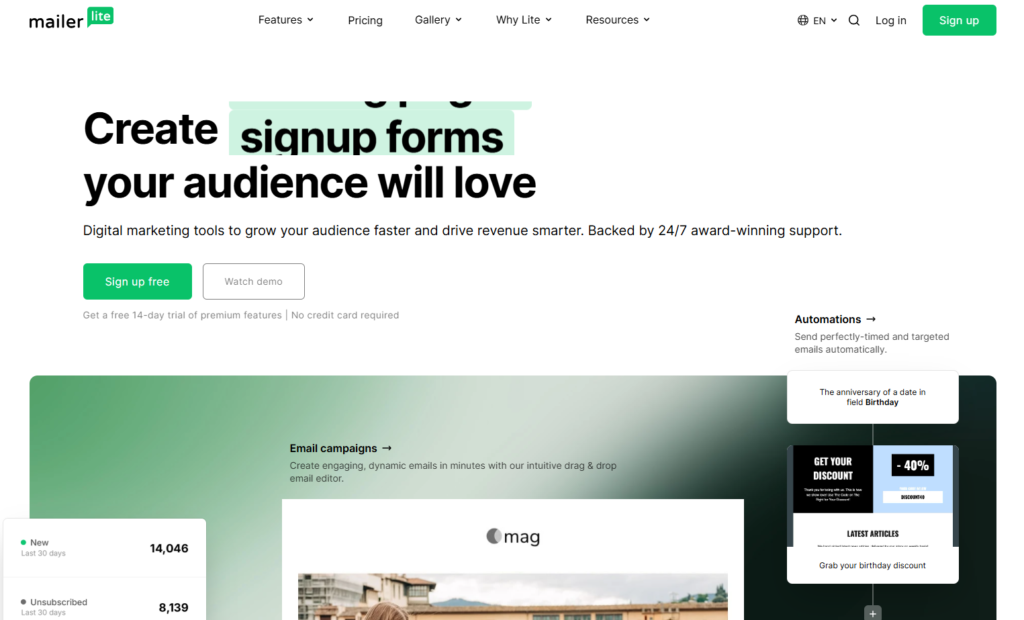
Founded in 2010, and has become one of the most popular email marketing tools thanks to its user-friendly interface, affordable pricing, and powerful features. Whether you’re launching your first newsletter or managing thousands of subscribers, it provides the tools needed to create, automate, and optimize email campaigns.
One of the biggest advantages of it is its simplicity. Unlike some email marketing platforms that can feel overwhelming for beginners, it offers an intuitive dashboard and drag-and-drop editors that make it easy to design professional-looking emails without any coding knowledge.
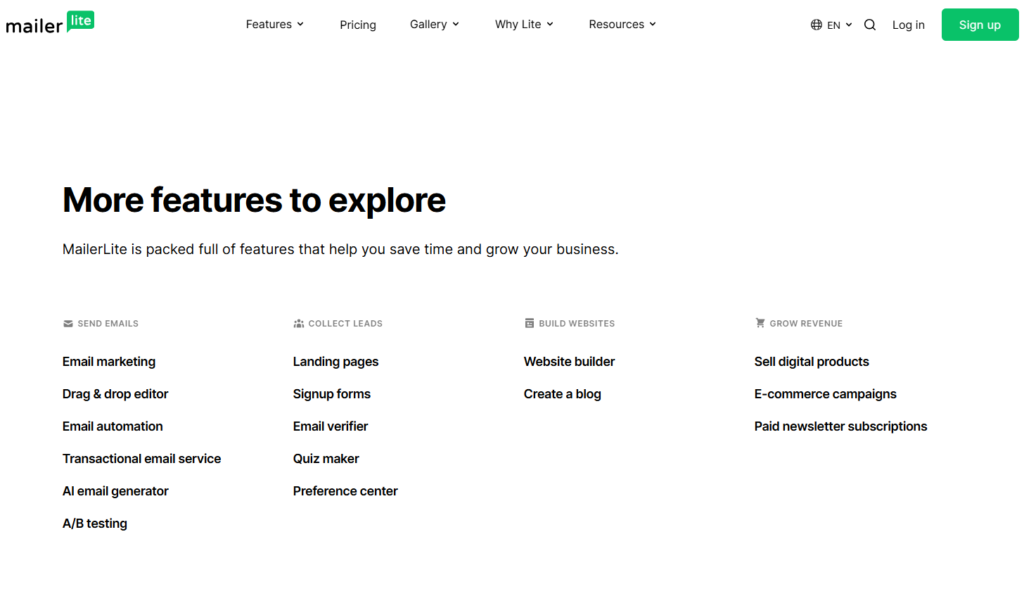
In addition to email marketing, it includes features such as:
- Email campaign creation
- Marketing automation workflows
- Landing page builder
- Website builder
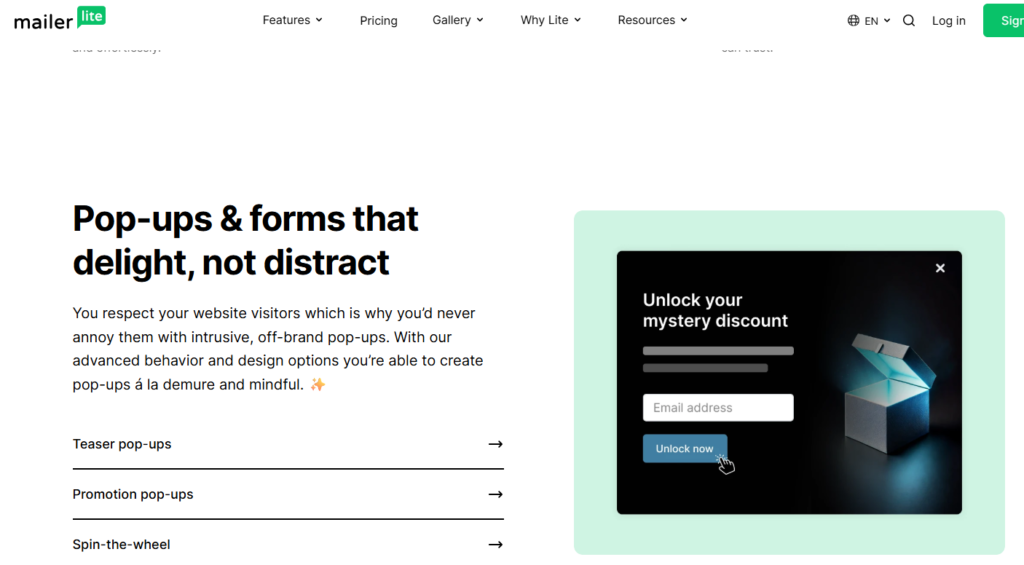
- Popups and signup forms
- Audience segmentation
- Email analytics and reporting
- Integrations with popular business tools
It is particularly popular among bloggers, affiliate marketers, small businesses, coaches, and content creators who want an affordable alternative to more expensive platforms. The platform also offers a generous free plan, making it an attractive option for those who are just getting started with email marketing.
If you’re looking for a platform that combines ease of use, automation capabilities, and lead generation tools, and is worth considering. It provides everything most businesses need to build an email list, nurture subscribers, and increase conversions from a single dashboard.
MailerLite Key Features
One of the main reasons why it is a popular email marketing platform is its combination of powerful features and ease of use. Whether you’re a blogger, small business owner, affiliate marketer, or content creator, it offers the tools needed to build an audience, engage subscribers, and grow your business.
Here are the key features that make it stand out from other email marketing platforms.
Email Campaign Builder
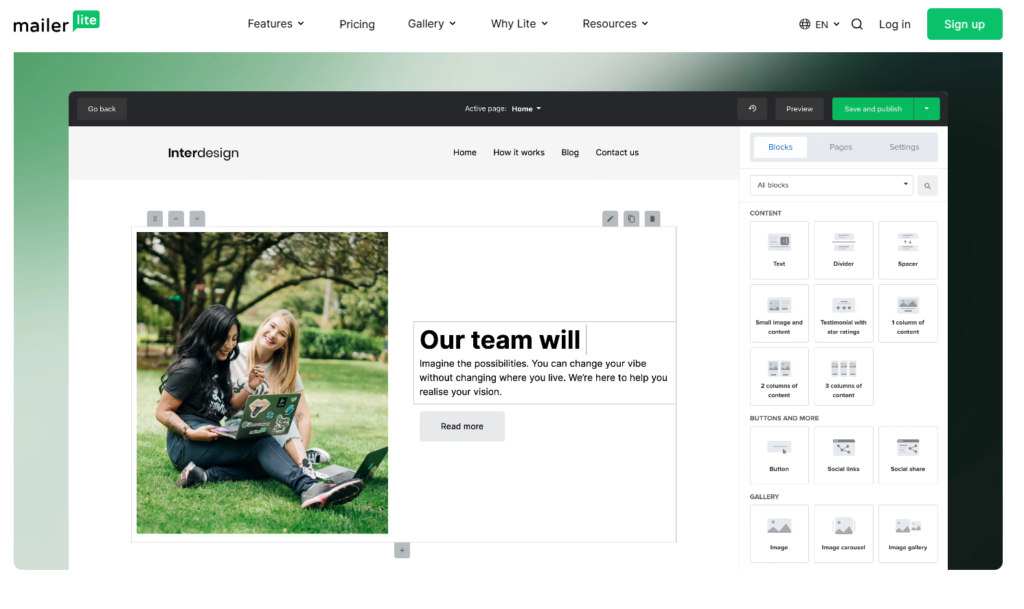
It includes a drag-and-drop email editor that allows users to create professional email campaigns without any coding skills. You can choose from pre-designed templates or build emails from scratch using content blocks such as text, images, buttons, videos, and product listings.
The editor is beginner-friendly while still offering enough flexibility for advanced users who want more customization options.
Marketing Automation
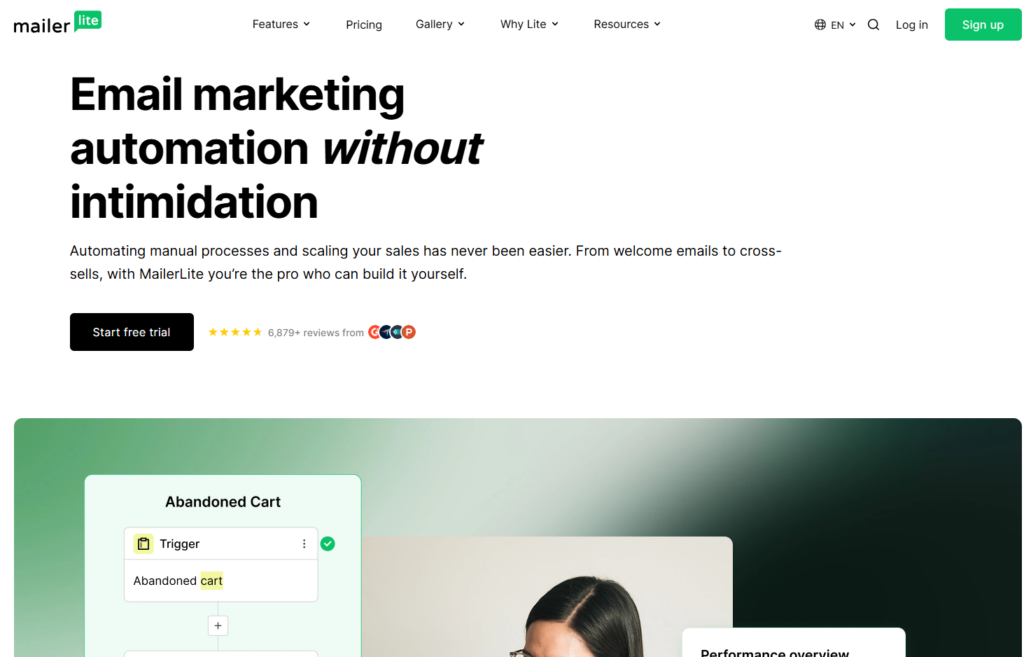
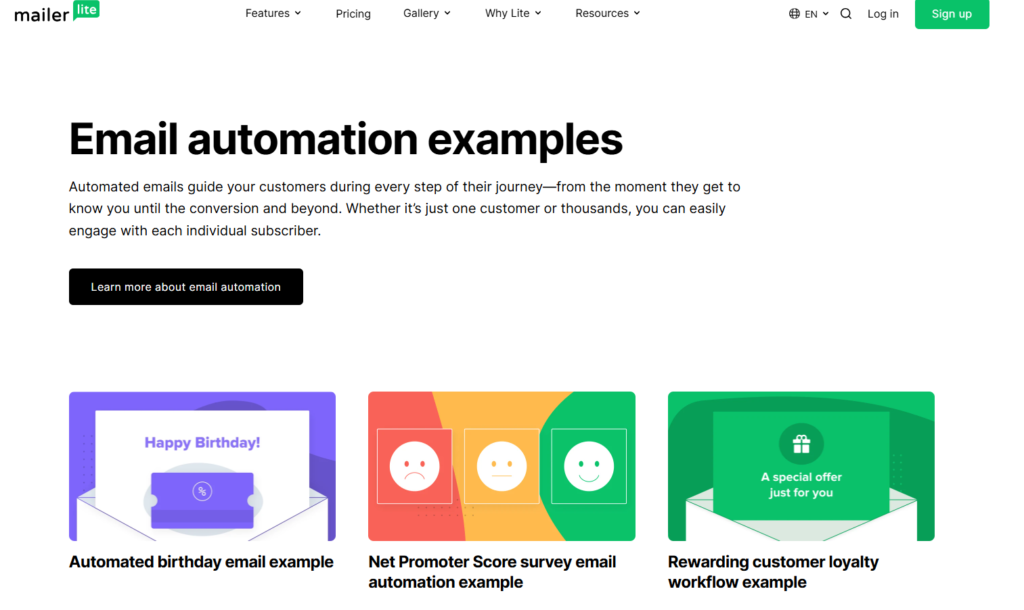
One of the most valuable features is its visual automation builder. Users can create automated workflows that send emails based on subscriber actions, triggers, and conditions.
For example, you can automatically:
- Send welcome emails to new subscribers
- Deliver lead magnets
- Create email courses
- Follow up with customers
- Re-engage inactive subscribers
These automations help save time while improving engagement and conversions.
Landing Page Builder

It includes a built-in landing page builder that allows users to create high-converting landing pages without needing a separate website builder.
The platform offers customizable templates for:
- Lead generation
- Webinar registrations
- Product launches
- Newsletter signups
- Event promotions
This feature makes it easier to grow your email list and capture leads.
Website Builder
In addition to landing pages, it provides a simple website builder for users who want to create a basic website without hiring a developer.
The website builder includes:
- Responsive templates
- Custom domains
- SEO settings
- Blog functionality
- Lead capture forms
This makes it a useful all-in-one solution for creators and small businesses.
Signup Forms and Popups
Growing an email list is easier with MailerLite’s form-building tools. Users can create embedded forms, popups, slide-ins, and promotional forms to capture visitor information.
The forms can be customized to match your brand and integrated with your website in just a few steps.
Subscriber Management
MailerLite provides powerful subscriber management features that help users organize and target their audience more effectively.
You can:
- Create subscriber groups
- Build audience segments
- Track subscriber activity
- Personalize email campaigns
Better audience organization often leads to higher open rates and click-through rates.
Email Personalization
Personalized emails typically perform better than generic broadcasts. Platform allows users to personalize content using subscriber information such as names, locations, and custom fields.
This helps create more relevant email experiences that increase engagement.
Analytics and Reporting
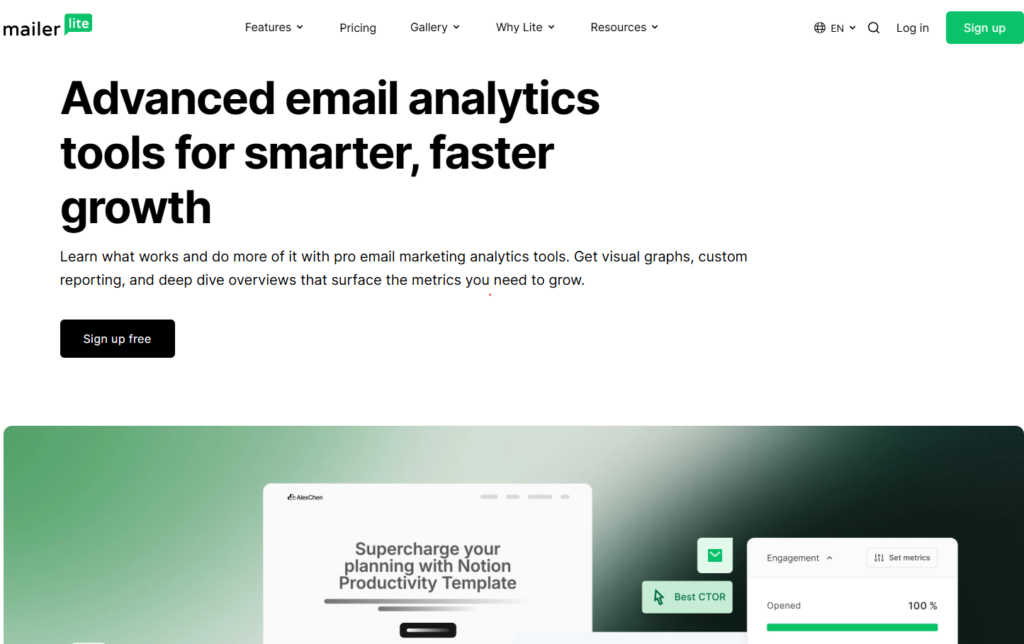
This platform includes detailed reporting tools that allow users to monitor campaign performance and make data-driven decisions.
Key metrics include:
- Open rates
- Click rates
- Unsubscribe rates
- Bounce rates
- Subscriber growth
These insights help marketers understand what is working and where improvements can be made.
Integrations
MailerLite integrates with many popular marketing and business tools, including WordPress, Shopify, WooCommerce, Stripe, Zapier, and other third-party applications.
These integrations allow users to connect it with their existing workflows and automate various marketing tasks.
Generous Free Plan
One of the biggest advantages of MailerLite is its free plan. New users can access many of the platform’s core features without paying upfront, making it an excellent choice for beginners and small businesses that are working with a limited budget.
Overall, it offers an impressive range of features that cover nearly every aspect of email marketing. From campaign creation and automation to landing pages and audience management, the platform provides everything most users need to grow and monetize their email list.
Ease of Use and User Experience
One of the biggest reasons why many businesses and content creators choose MailerLite is its simplicity. Unlike some email marketing platforms that can feel overwhelming for beginners, it focuses on providing a clean and intuitive user experience that makes email marketing accessible to everyone.
Whether you’re creating your first newsletter or setting up advanced automation workflows, it makes it easy to find the tools you need and complete tasks quickly.
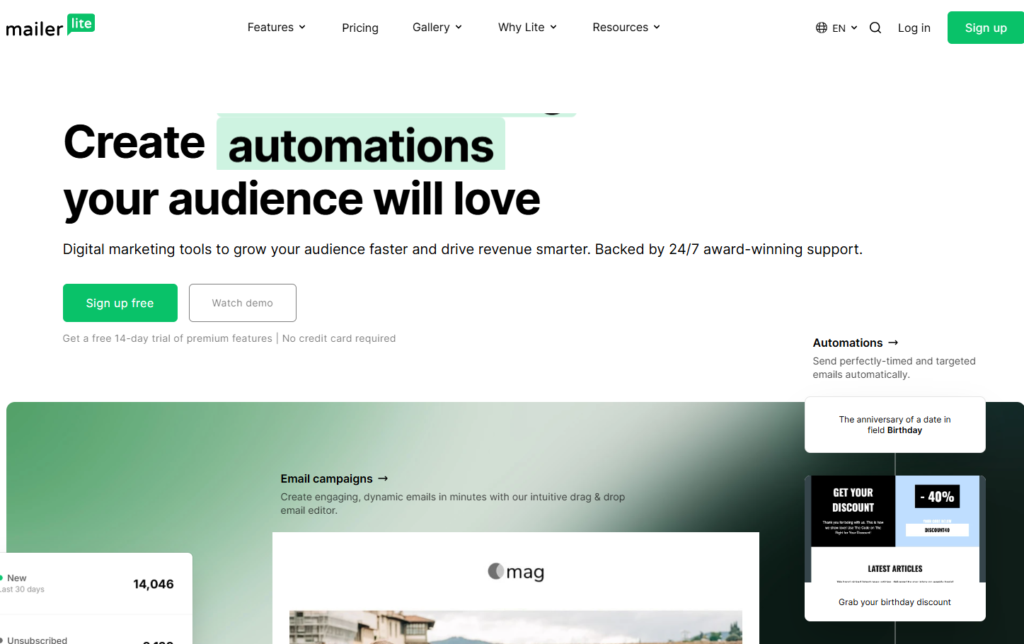
Simple Account Setup
Getting started with MailerLite is a straightforward process. After creating an account, users are guided through a step-by-step setup process that includes verifying their website or business information and configuring their email marketing settings.
The onboarding process is beginner-friendly and helps new users understand the platform without requiring technical expertise.
Clean and Intuitive Dashboard

The MailerLite dashboard is well-organized and easy to navigate. Key features such as campaigns, automations, subscribers, forms, websites, and reports are clearly displayed in the main navigation menu.
This clean layout reduces the learning curve and allows users to access important tools without wasting time searching through complicated menus.
User-Friendly Drag-and-Drop Editors
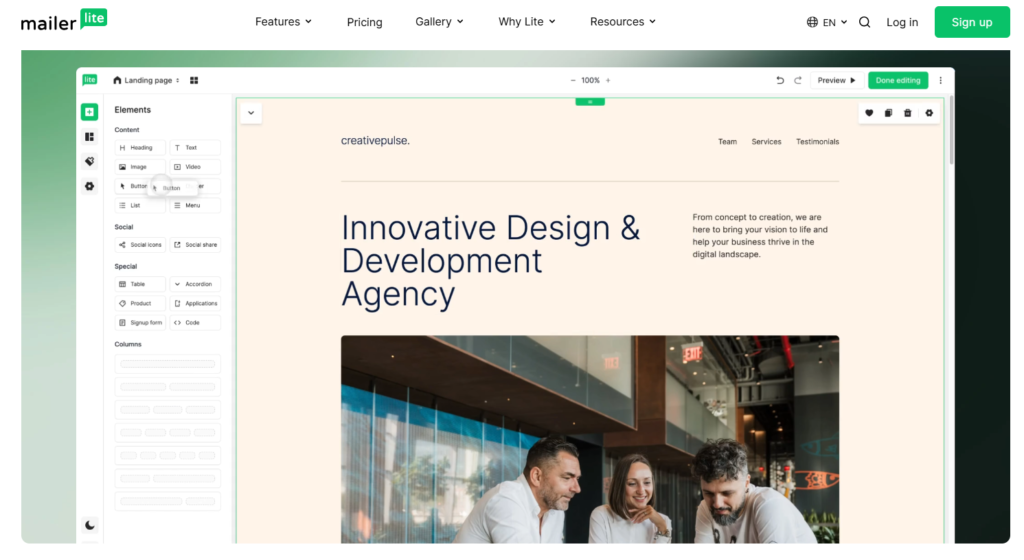
One of the strongest aspects of the platform user experience is its drag-and-drop functionality. Users can easily create emails, landing pages, signup forms, and websites by dragging content blocks into place.
Common content blocks include:
- Text sections
- Images
- Buttons
- Videos
- Product listings
- Social media icons
- Countdown timers
This visual editing approach makes it possible to create professional marketing assets without any coding knowledge.
Easy Campaign Creation
Creating and sending an email campaign in it is a simple process. Users can choose a template, customize the design, add content, select subscribers, and schedule the campaign in just a few steps.
The platform also includes helpful previews that allow users to see how emails will appear on desktop and mobile devices before sending.
Visual Automation Builder
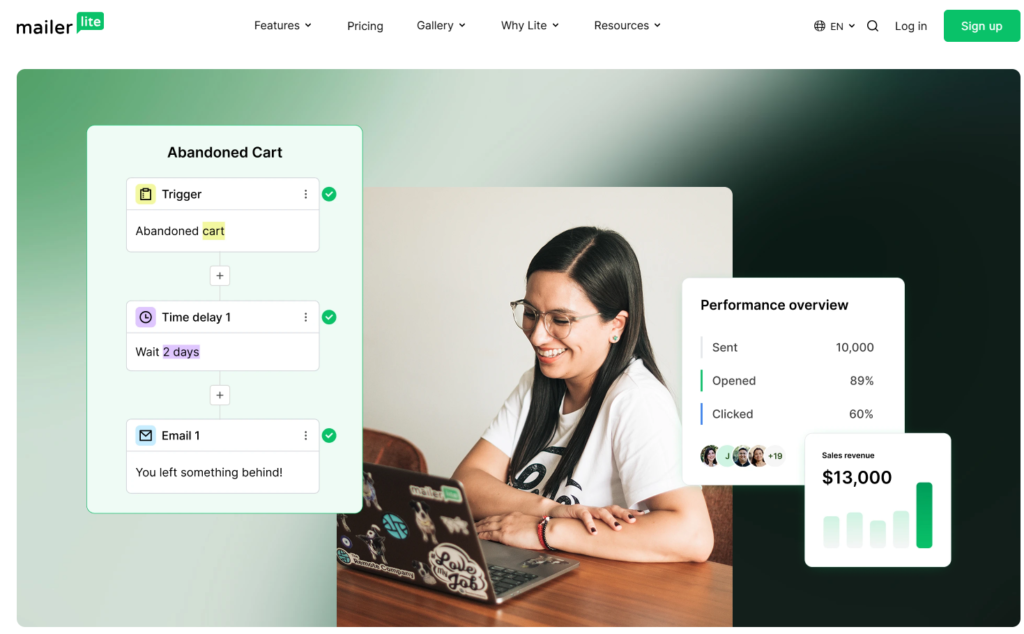
While automation features can sometimes be difficult to understand, it keeps the process simple with a visual workflow builder.
Users can create automated email sequences by selecting triggers, actions, and conditions through a visual interface. This makes it easier to understand how subscribers move through different stages of an automation without dealing with complex settings.
Even beginners can build welcome sequences, lead nurturing campaigns, and customer follow-up automations with minimal effort.
Fast Performance
MailerLite is generally responsive and loads quickly when navigating between sections of the platform. Email editors, automation workflows, and reporting dashboards perform smoothly, helping users work more efficiently.
Fast performance contributes to a better overall user experience, especially for marketers who manage multiple campaigns.
Helpful Learning Resources
It offers a variety of educational resources to help users learn the platform and improve their email marketing skills.
These resources include:
- Knowledge base articles
- Video tutorials
- Email marketing guides
- Webinars
- Customer support documentation
The availability of these resources makes it easier for beginners to get up to speed and solve common issues on their own.
Mobile-Friendly Experience
Although most users manage campaigns from a desktop computer, it also provides a mobile-friendly experience that allows users to monitor campaigns and review reports while on the go.
This flexibility can be useful for business owners and marketers who need quick access to their account from different devices.
Overall User Experience
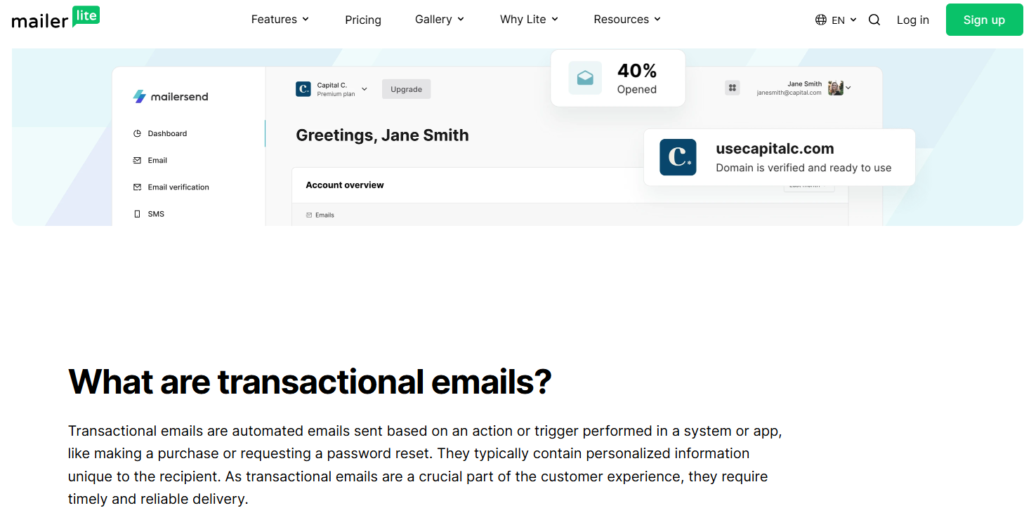
Overall, it delivers an excellent user experience for both beginners and experienced marketers. Its clean interface, drag-and-drop editors, logical navigation, and easy-to-use automation tools make it one of the most accessible email marketing platforms available today.
For users who value simplicity without sacrificing functionality, it strikes an impressive balance between ease of use and powerful marketing capabilities.
Creating and Sending Email Campaigns
One of the main reasons marketers choose it is its ability to simplify the process of creating and sending email campaigns. Whether you’re sending newsletters, promotional emails, product updates, or automated follow-up messages, it provides all the tools needed to create professional campaigns quickly and efficiently.
The platform is designed for both beginners and experienced marketers, making it easy to build, customize, and send emails that engage subscribers and drive results.
Getting Started with a New Campaign
Creating a new campaign in MailerLite starts with selecting the type of email you want to send. The platform offers a straightforward setup process that guides users through every step, from creating a subject line to choosing recipients.
The campaign setup process includes:
- Campaign name
- Subject line
- Sender information
- Preview text
- Audience selection
This organized workflow helps ensure that every campaign is properly configured before being sent.
Designing Professional Emails
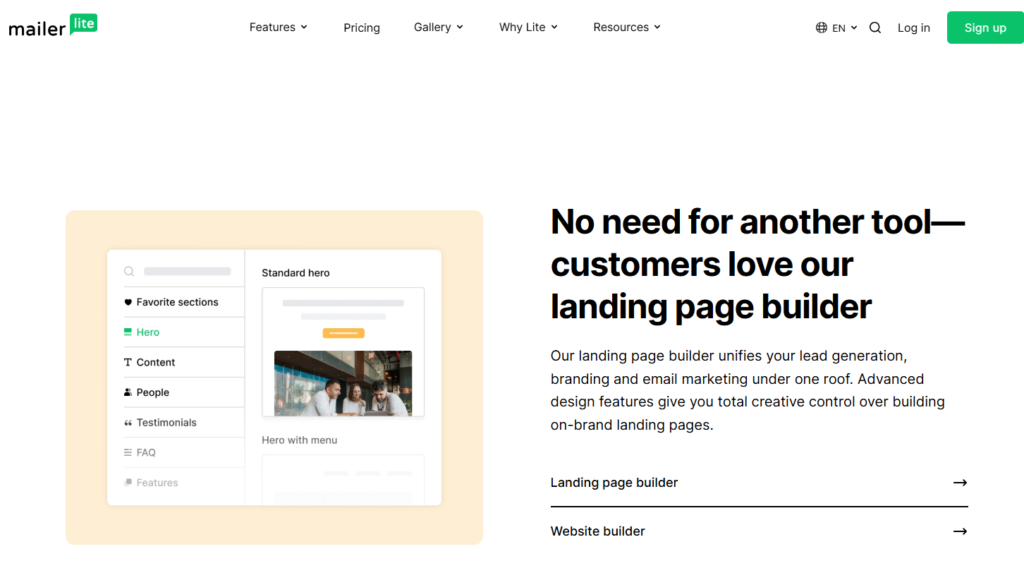
It includes a powerful drag-and-drop editor that allows users to create attractive emails without coding skills.
Using pre-built content blocks, you can easily add:
- Text
- Images
- Buttons
- Videos
- Product showcases
- Social media icons
- Dividers and spacers
The visual editor allows users to see exactly how the email will appear before sending it, making the design process fast and intuitive.
Using Email Templates
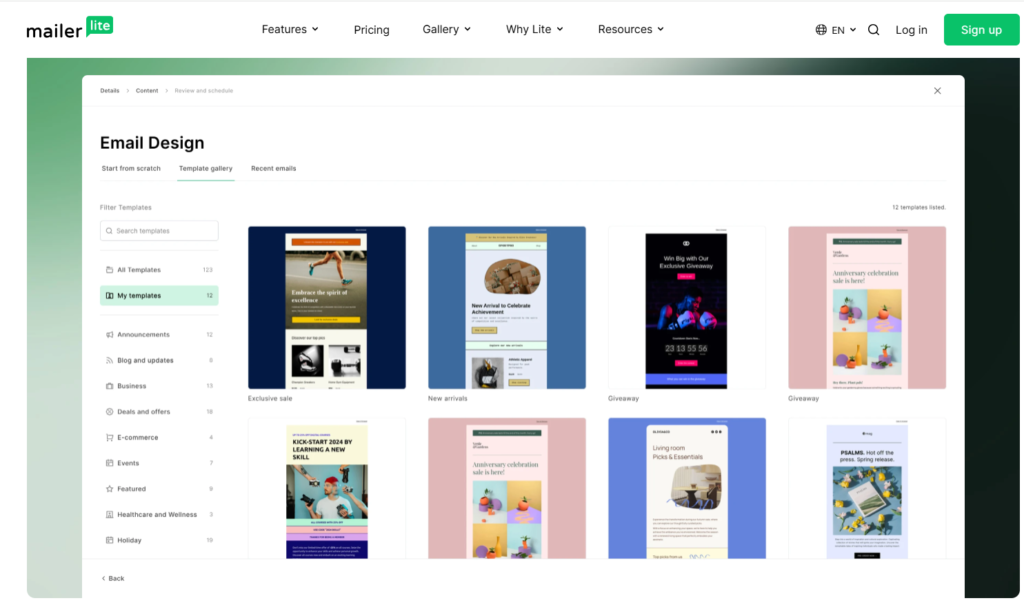
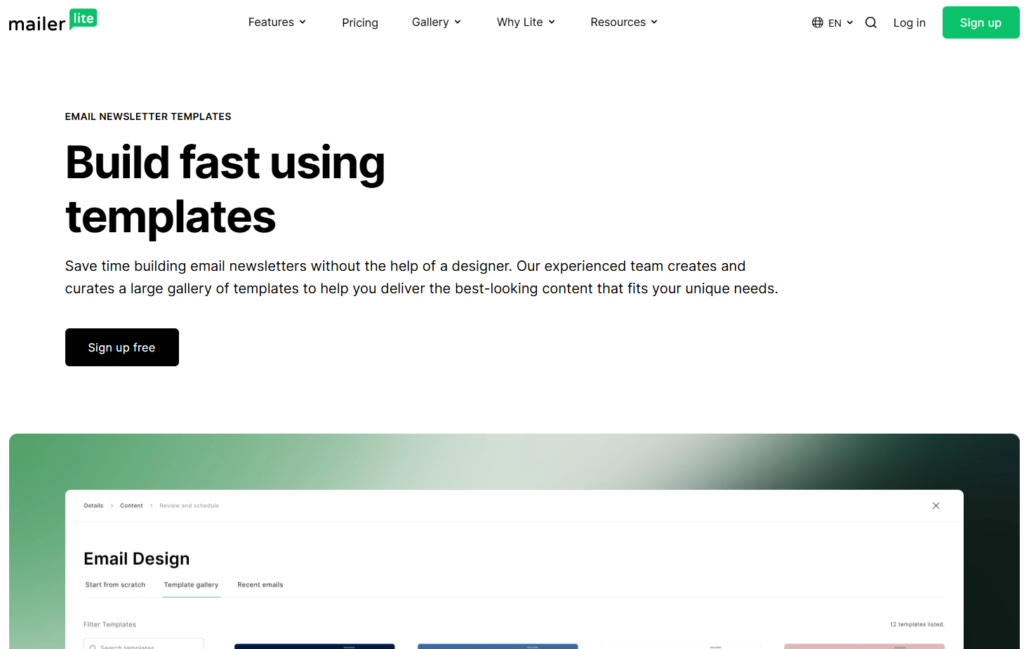
For users who want to save time, it offers a variety of customizable email templates. These templates can be used for newsletters, announcements, promotions, and lead generation campaigns.
Templates provide a professional starting point and can be customized to match your brand’s colors, fonts, and messaging.
Personalizing Your Emails
Personalization is one of the most effective ways to improve email engagement. it allows users to insert subscriber information directly into emails using personalization fields.
This can include:
- First names
- Company names
- Locations
- Custom subscriber data
Personalized emails help create a more relevant experience for subscribers and often result in higher open and click-through rates.
Choosing the Right Audience
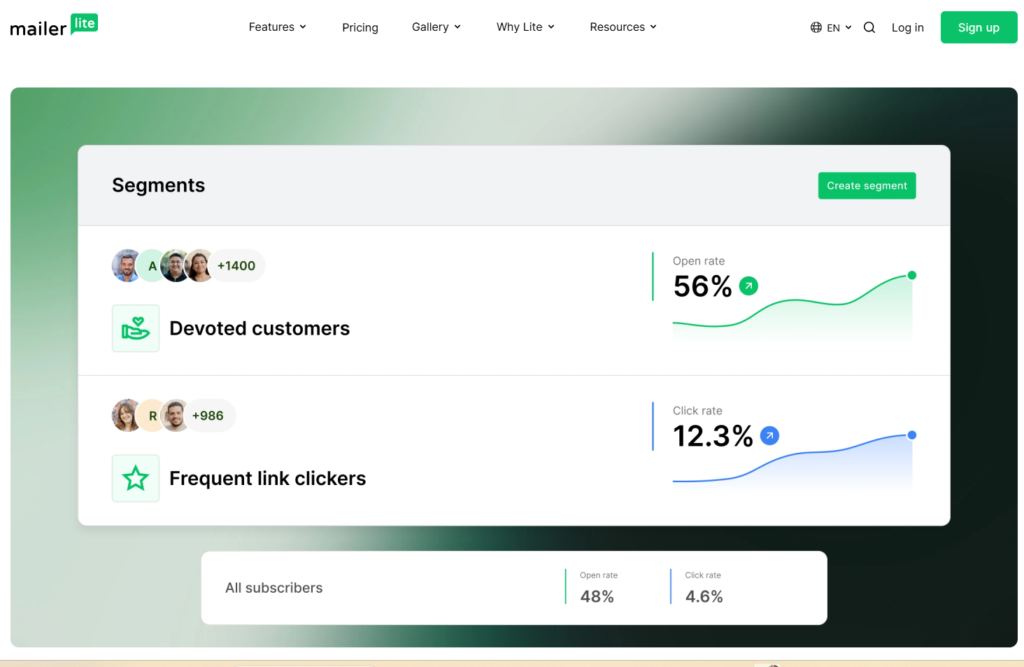
Before sending a campaign, it allows users to select exactly who should receive the email.
You can send campaigns to:
- Entire subscriber lists
- Specific groups
- Custom audience segments
- Active subscribers
- New subscribers
Audience targeting helps improve campaign performance by ensuring subscribers receive content that matches their interests and behavior.
Testing Before Sending
It provides several testing options that help users identify potential issues before launching a campaign.
These include:
- Test emails
- Mobile previews
- Desktop previews
- Link checks
Testing helps ensure that emails display correctly across different devices and email clients.
Scheduling and Delivering Emails
Once your email is ready, MailerLite offers flexible delivery options.
Users can:
- Send immediately
- Schedule campaigns for a future date and time
- Optimize delivery timing for subscribers
Scheduling emails can improve engagement by ensuring messages are delivered when subscribers are most likely to open them.
Monitoring Campaign Results

After a campaign has been sent, it provides detailed analytics that help users measure performance.
Key metrics include:
- Open rates
- Click-through rates
- Bounce rates
- Unsubscribe rates
- Spam complaints
- Subscriber activity
These insights help marketers understand what is working and make data-driven improvements to future campaigns.
Why MailerLite Excels at Email Campaign Management
It combines simplicity, flexibility, and powerful functionality in a way that makes email marketing accessible to businesses of all sizes. From designing professional emails to tracking campaign performance, the platform streamlines every step of the process.
For bloggers, creators, affiliate marketers, and small businesses looking for an easy-to-use email marketing solution, it offers a reliable and efficient way to create and send high-performing email campaigns.
Marketing Automation Features
Marketing automation is one of the most powerful features offered by it. Instead of manually sending emails to every subscriber, it allows users to create automated workflows that deliver the right message at the right time based on subscriber behavior and predefined triggers.
These automation tools help businesses save time, improve engagement, and build stronger relationships with their audience while reducing repetitive tasks.
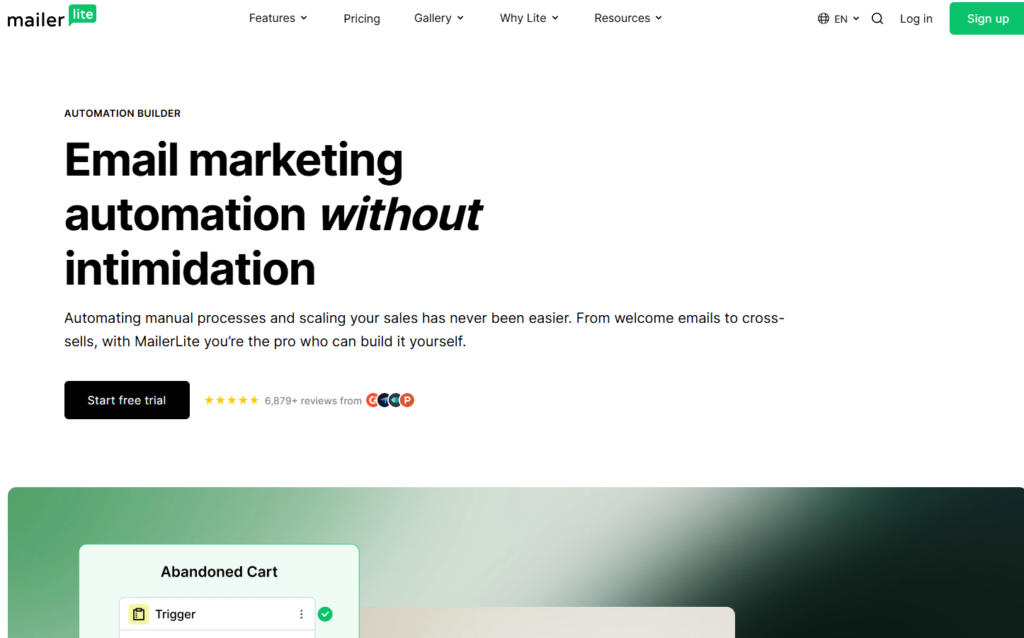
Visual Automation Builder
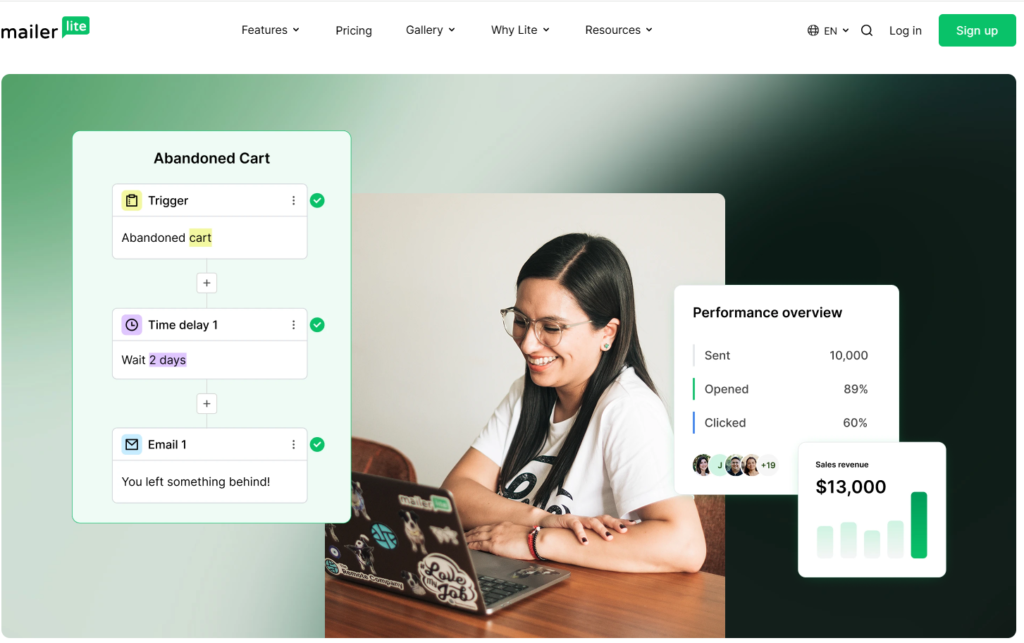
One of the standout MailerLite features is its visual automation builder. The platform uses a drag-and-drop workflow editor that makes it easy to create automated email sequences without any technical knowledge.
Users can visually map out customer journeys and create workflows that respond to subscriber actions in real time.
This simple visual approach makes automation accessible even for beginners who have never built email workflows before.
Automation Triggers
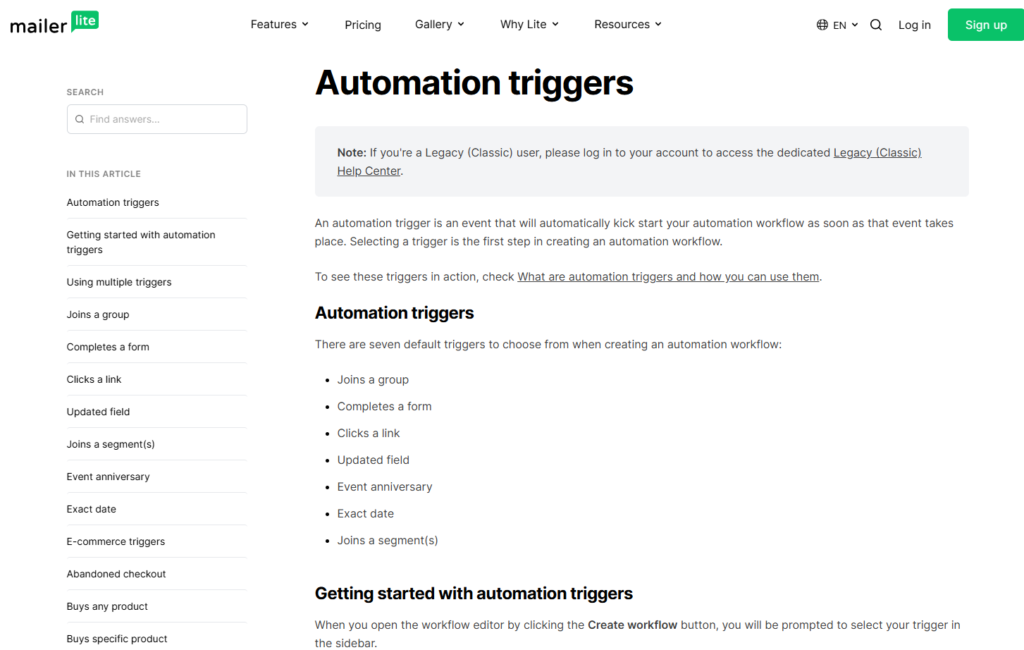
It provides multiple triggers that can start an automation sequence automatically.
Common triggers include:
- New subscriber joins a list
- Subscriber completes a form
- Subscriber clicks a link
- Subscriber joins a group
- Subscriber updates a custom field
- Anniversary or date-based events
These triggers allow marketers to send highly relevant emails based on subscriber actions and interests.
Automated Welcome Sequences
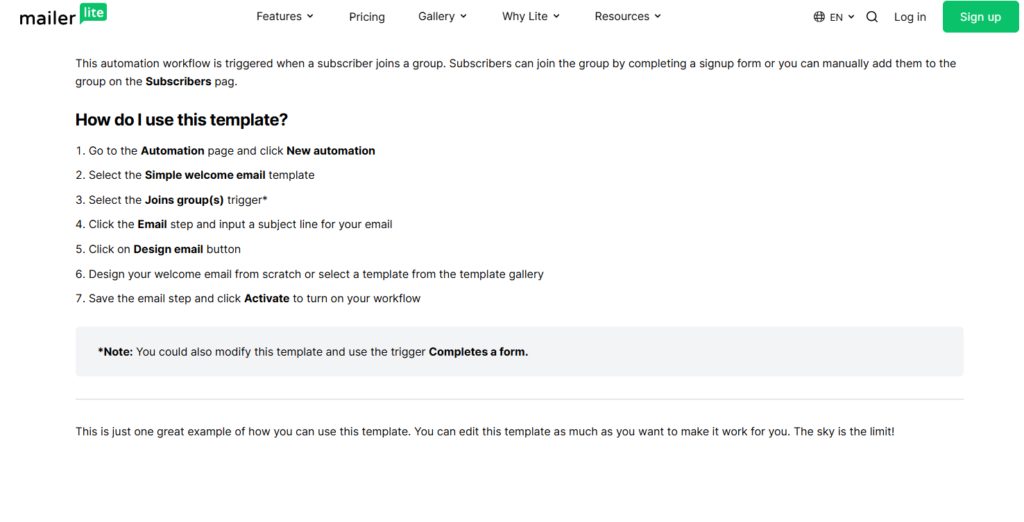
One of the most common uses of its automation is creating welcome email sequences.
When someone joins your email list, MailerLite can automatically:
- Send a welcome email
- Deliver a lead magnet
- Introduce your brand
- Share helpful resources
- Guide subscribers toward a product or service
Welcome sequences help make a strong first impression while building trust with new subscribers.
Lead Nurturing Campaigns
It allows businesses to create lead nurturing workflows that gradually move subscribers through the customer journey.
For example, a subscriber who downloads a free guide can automatically receive a series of educational emails over several days or weeks.
This automated process keeps subscribers engaged and increases the likelihood of future conversions.
Behavior-Based Automation
One of the advantages of it is the ability to send emails based on subscriber behavior.
Examples include:
- Following up after a link click
- Sending targeted content based on interests
- Re-engaging inactive subscribers
- Moving subscribers between groups automatically
Behavior-based automation helps deliver more relevant content and improve overall campaign performance.
Email Delays and Workflow Controls
It provides workflow controls that allow users to create advanced automation sequences.
These controls include:
- Time delays
- Conditional logic
- Workflow branching
- Subscriber movement between groups
These features give marketers more flexibility when building personalized customer journeys.
Subscriber Segmentation and Automation
Marketing automation becomes even more powerful when combined with MailerLite’s segmentation features.
Users can automatically organize subscribers based on:
- Interests
- Signup source
- Engagement level
- Purchase behavior
- Custom data fields
This allows businesses to send highly targeted emails that match the needs and preferences of different audience segments.
Automation Templates
For users who want to get started quickly, it offers pre-built automation templates.
These templates can be used for:
- Welcome sequences
- Lead nurturing campaigns
- Product launches
- Webinar registrations
- Customer onboarding
- Re-engagement campaigns
Templates help reduce setup time while providing proven workflow structures.
Monitoring Automation Performance

It includes reporting tools that allow users to track the performance of their automation workflows.
Important metrics include:
- Open rates
- Click-through rates
- Subscriber progression
- Workflow completion rates
- Conversion tracking
These insights help marketers identify opportunities to improve automation performance and increase results.
Why MailerLite Automation Stands Out
It strikes an excellent balance between simplicity and functionality. While some email marketing platforms offer highly complex automation systems, it focuses on providing powerful automation tools through an easy-to-understand interface.
For bloggers, creators, affiliate marketers, and small businesses, it delivers more than enough automation capabilities to build email funnels, nurture leads, and increase conversions without the steep learning curve often associated with advanced marketing software.
Landing Pages and Website Builder
Beyond email marketing, it offers powerful landing page and website building tools that help users generate leads, promote products, and establish an online presence without relying on third-party software. These built-in tools make it an attractive all-in-one platform for bloggers, creators, affiliate marketers, and small businesses.
Instead of paying for separate landing page and website builders, users can manage everything directly within it.
Landing Page Builder
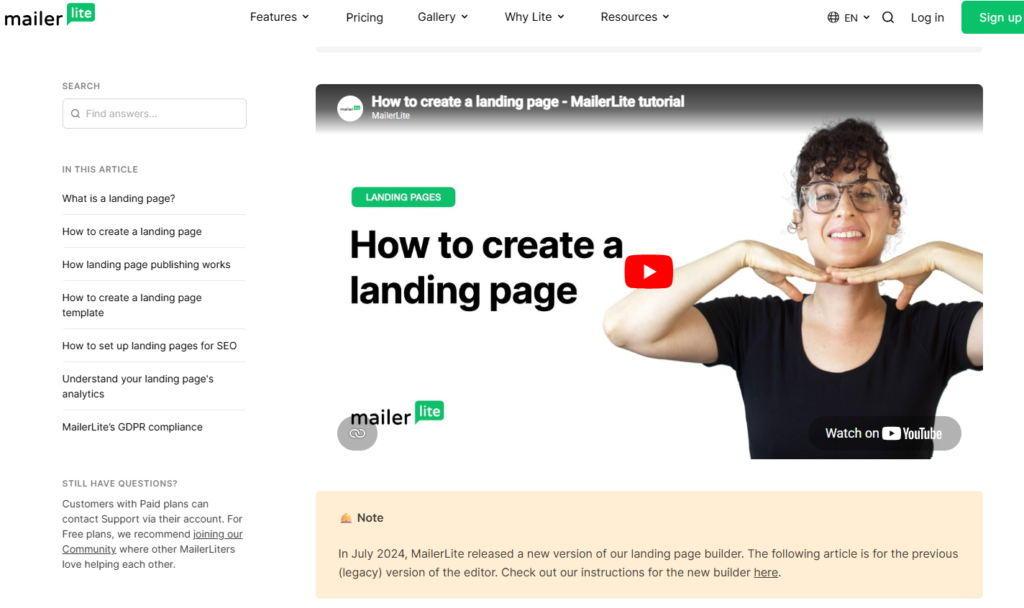
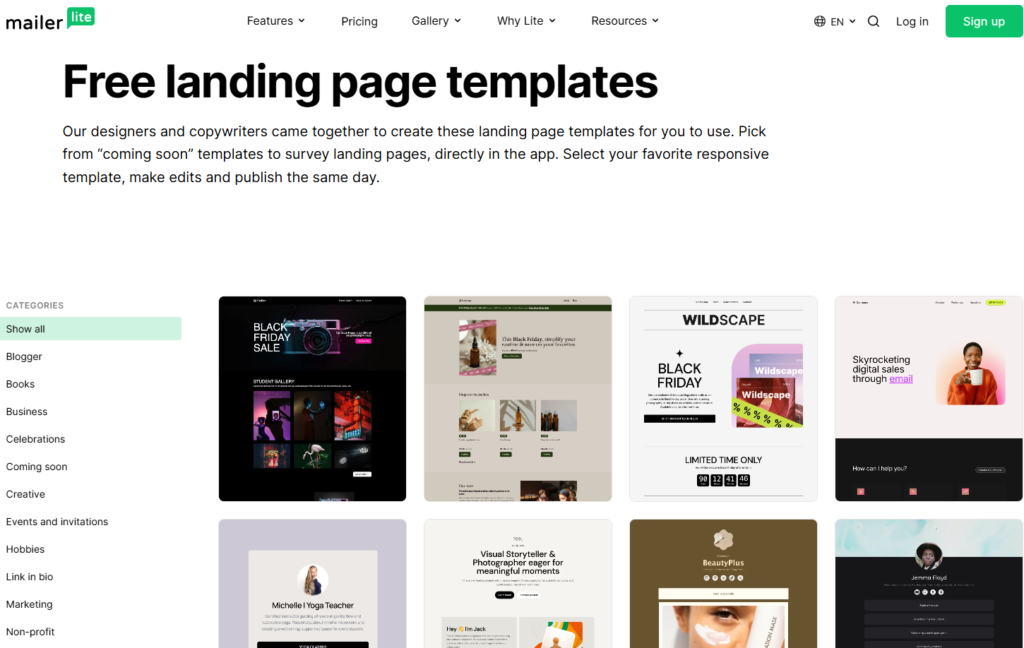
Its landing page builder allows users to create dedicated pages designed to capture leads and drive conversions. Whether you’re promoting a lead magnet, collecting webinar registrations, or launching a new product, landing pages can help focus visitors on a single goal.
It provides a variety of professionally designed templates that can be customized to match your brand and campaign objectives.
Common landing page uses include:
- Email list building
- Lead magnet downloads
- Webinar registrations
- Product launches
- Event signups
- Affiliate marketing promotions
This flexibility makes it a useful tool for businesses looking to grow their audience and generate more leads.
Drag-and-Drop Page Editor
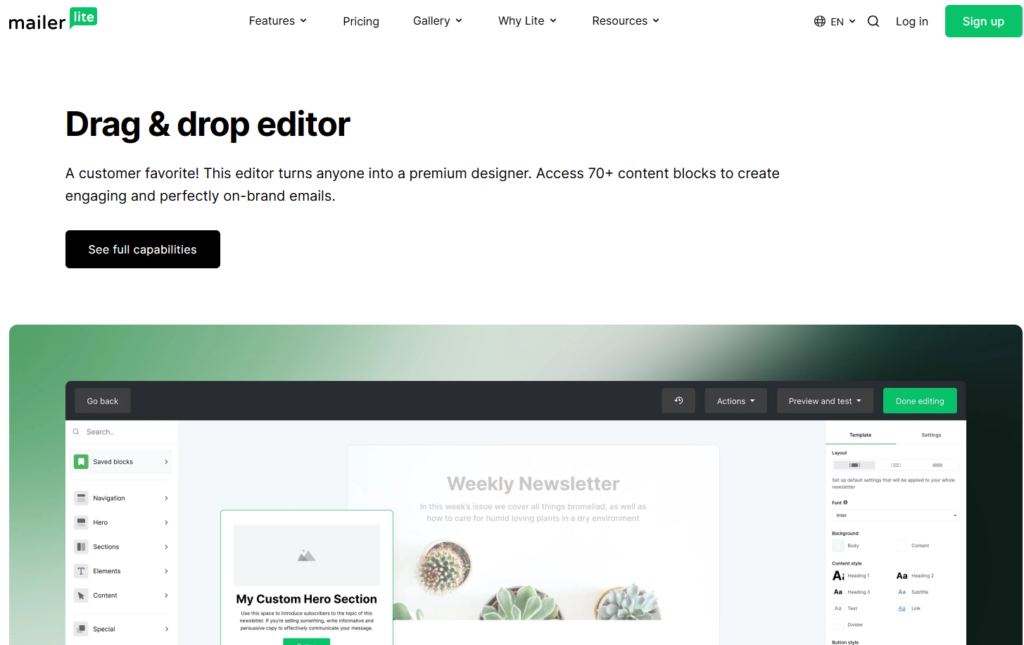
Creating landing pages in MailerLite is simple thanks to its drag-and-drop editor. Users can add and arrange content blocks without needing coding or design skills.
Available elements include:
- Headlines
- Text sections
- Images
- Videos
- Buttons
- Signup forms
- Testimonials
- Countdown timers
- Product showcases
The visual editor allows users to see changes in real time, making the page-building process fast and beginner-friendly.
Mobile-Responsive Designs
All its landing page templates are designed to be mobile responsive. This means pages automatically adjust to different screen sizes and devices.
Since a significant portion of web traffic comes from smartphones and tablets, responsive design is essential for providing a good user experience and maximizing conversions.
Built-In Lead Capture Forms
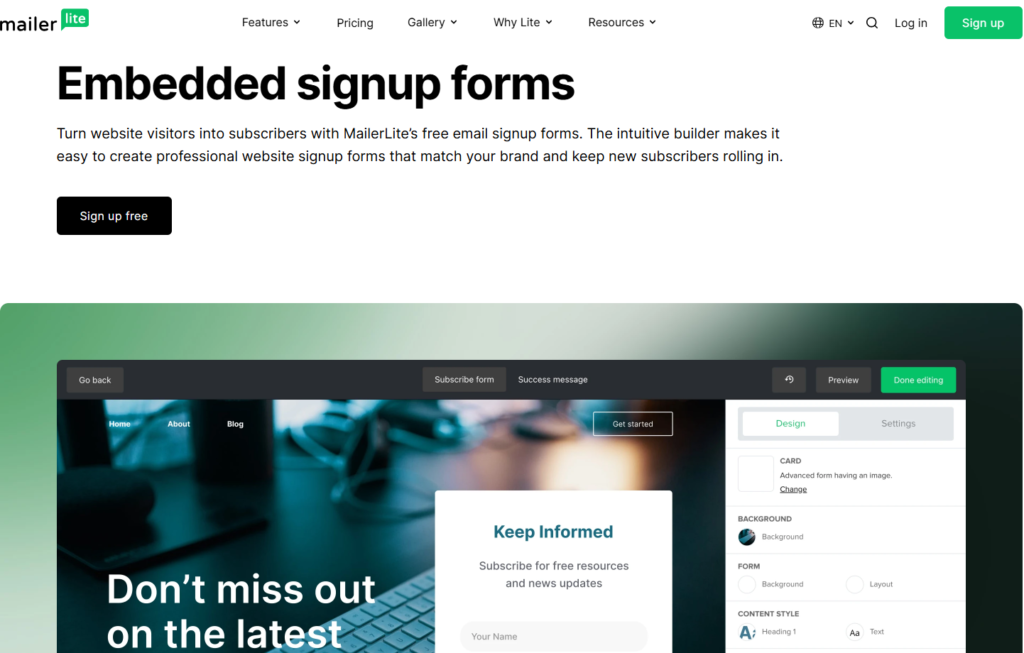
One of the biggest advantages of using its landing pages is the seamless integration with its email marketing tools. Signup forms can be added directly to landing pages, and new subscribers are automatically added to your email list.
This eliminates the need for complex integrations and helps streamline lead generation campaigns.
Website Builder
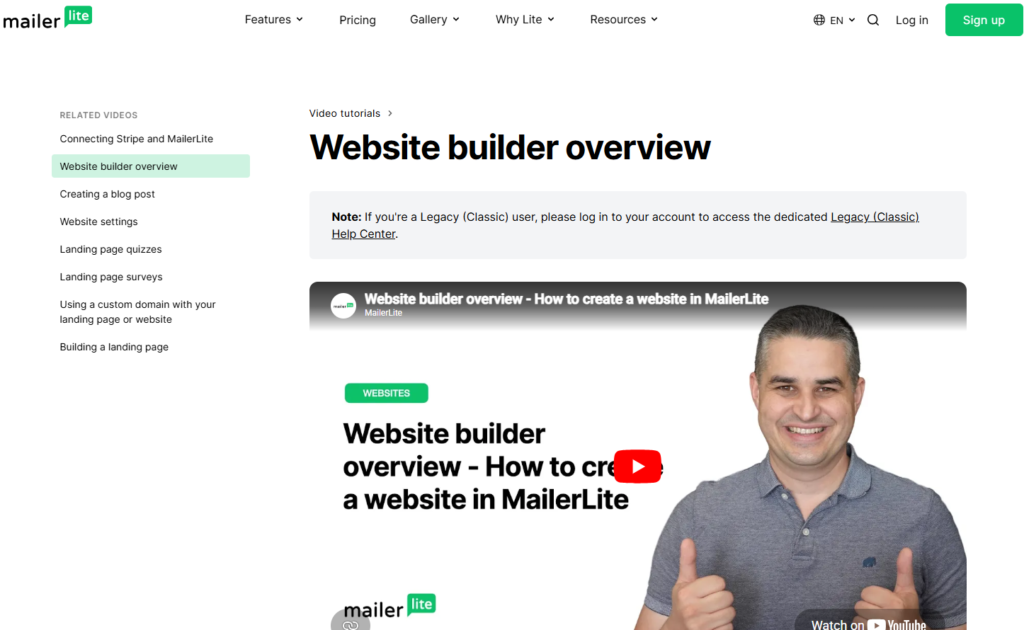
In addition to landing pages, it includes a website builder that allows users to create complete websites from within the platform.
The website builder is designed for users who want a simple online presence without the complexity of traditional website platforms.
With MailerLite, users can create:
- Personal websites
- Business websites
- Portfolio websites
- Creator websites
- Blog websites
- Lead generation websites
This feature can be especially useful for new businesses and creators who want to get online quickly.
Customization Options
It provides several customization tools that help users create websites and landing pages that reflect their brand identity.
Users can customize:
- Colors
- Fonts
- Layouts
- Images
- Buttons
- Branding elements
These options allow users to maintain a professional and consistent appearance across all marketing assets.
SEO-Friendly Features
Its website builder includes basic SEO settings that help users optimize their pages for search engines.
Users can customize:
- Page titles
- Meta descriptions
- URL slugs
- Page visibility settings
While it may not offer the advanced SEO capabilities of dedicated website platforms, it provides enough functionality for most small business and marketing websites.
Publishing and Custom Domains
It allows users to publish websites and landing pages using either its subdomain or a custom domain.
Using a custom domain helps strengthen branding and creates a more professional appearance for visitors.
The setup process is relatively straightforward and can usually be completed without technical expertise.
Why MailerLite’s Landing Pages and Website Builder Stand Out
One of the biggest strengths of it is its ability to combine email marketing, lead generation, landing pages, and website creation into a single platform. This reduces the need for multiple subscriptions and simplifies marketing workflows.
For bloggers, affiliate marketers, creators, and small businesses, it provides an affordable and user-friendly way to build landing pages, create websites, capture leads, and grow an audience from one central dashboard.
Signup Forms and Lead Generation Tools
Building an email list is one of the most important aspects of digital marketing, and it provides a variety of signup forms and lead generation tools to help businesses attract and convert visitors into subscribers. These tools are designed to be easy to use, highly customizable, and fully integrated with MailerLite’s email marketing and automation features.
Whether you’re growing a blog, promoting affiliate offers, selling products, or building a personal brand, it offers multiple ways to capture leads and expand your audience.
Embedded Signup Forms
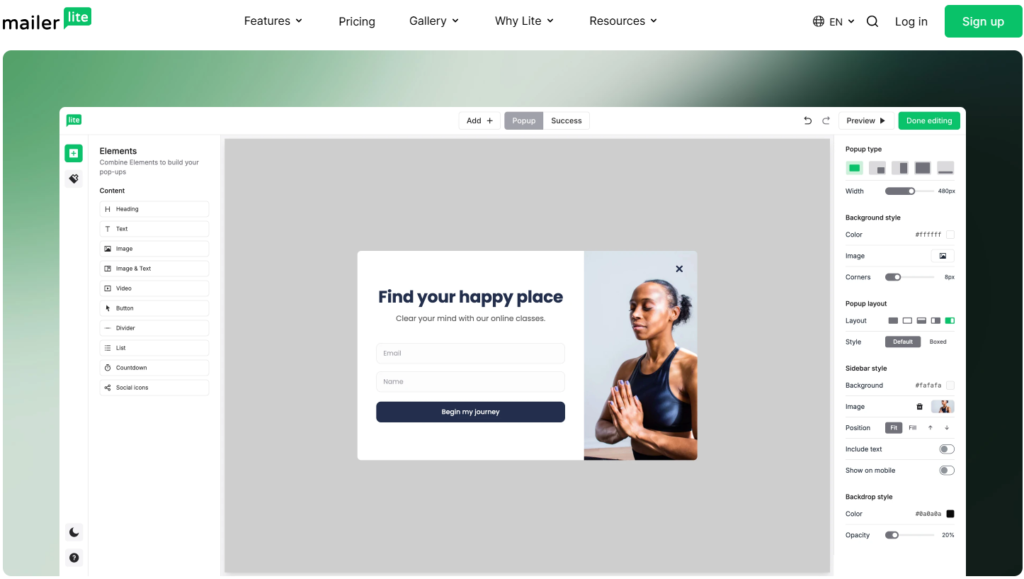
MailerLite allows users to create embedded signup forms that can be placed directly on websites, blog posts, landing pages, and other online properties.
These forms can be customized to match your website’s design and collect important subscriber information such as:
- Email address
- First name
- Phone number
- Custom fields
Embedded forms provide a seamless way to collect leads without disrupting the visitor experience.
Popups and Slide-In Forms
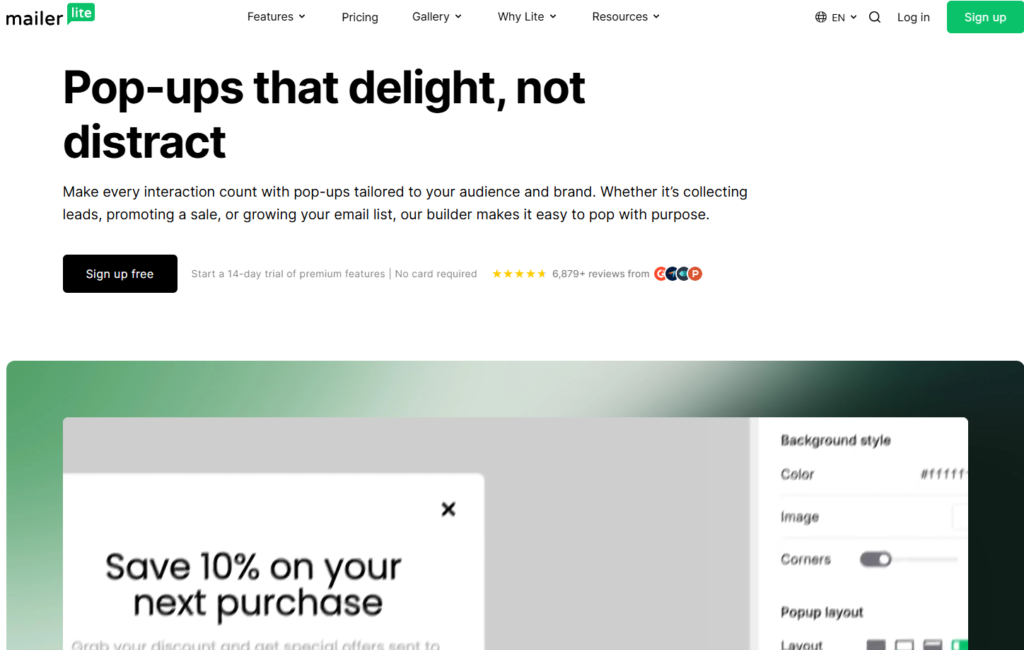
To help increase conversion rates, MailerLite includes popup and slide-in forms that can appear based on user behavior.
You can trigger forms when visitors:
- Spend a certain amount of time on a page
- Scroll to a specific point
- Click a button
- Show exit intent
- Visit selected pages
These targeted displays can significantly improve lead generation performance when used strategically.
Multi-Step Forms
It supports multi-step forms that break the signup process into several smaller steps. Instead of presenting visitors with a long form, information is collected gradually.
This approach can help improve completion rates by making the signup process feel less overwhelming.
Multi-step forms are particularly useful for:
- Lead qualification
- Surveys
- Webinar registrations
- Consultation bookings
Custom Form Design
One of the strengths of MailerLite is the flexibility it provides when designing signup forms.
Users can customize:
- Colors
- Fonts
- Buttons
- Form fields
- Backgrounds
- Success messages
These customization options make it easier to create forms that match your brand and provide a consistent user experience.
Lead Magnets and Incentives
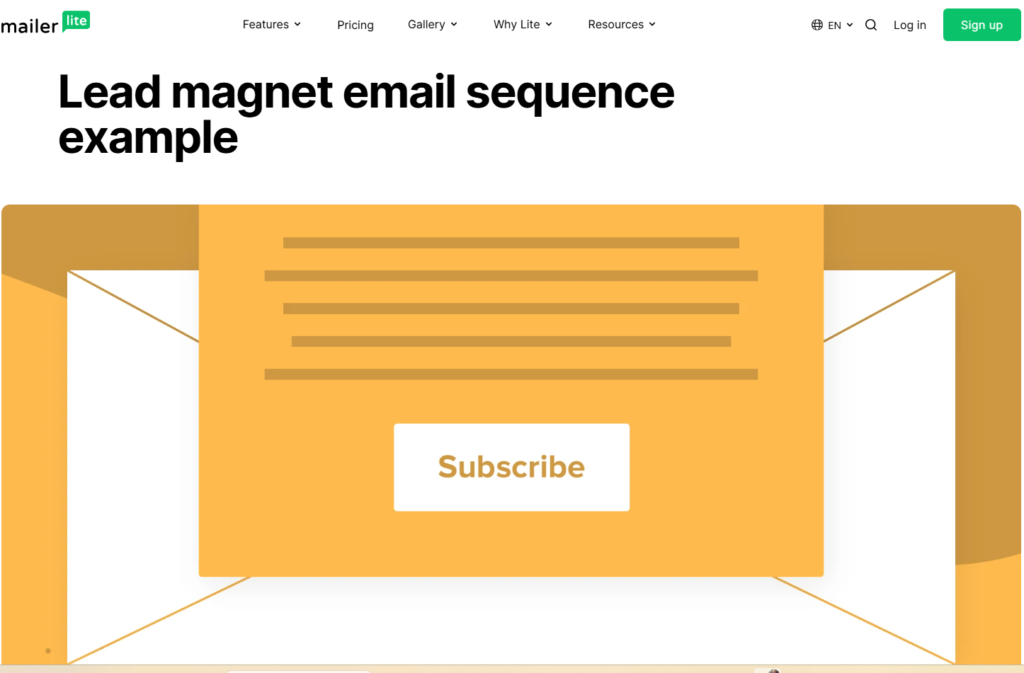
Many marketers use MailerLite forms to deliver lead magnets and free resources in exchange for email addresses.
Examples include:
- Ebooks
- Checklists
- Templates
- Free courses
- Guides
- Resource libraries
MailerLite can automatically send these resources through email automation workflows after a visitor subscribes, helping streamline the entire lead generation process.
Subscriber Segmentation at Signup
A useful MailerLite feature is the ability to organize subscribers as they join your list.
New subscribers can automatically be:
- Added to specific groups
- Tagged based on interests
- Assigned to automation workflows
- Segmented for future campaigns
This allows businesses to deliver more personalized content and improve engagement from the very beginning.
GDPR and Compliance Features
It includes built-in compliance tools that help businesses collect subscriber information responsibly.
Features include:
- Consent checkboxes
- Double opt-in options
- Privacy policy links
- Subscriber consent records
These tools help ensure compliance with privacy regulations while building trust with subscribers.
Integration with Landing Pages and Websites
All its forms integrate seamlessly with the platform’s landing page and website builder.
This means users can:
- Add forms to landing pages
- Embed forms on websites
- Connect forms to automations
- Track subscriber activity
Having everything connected within a single platform simplifies lead generation and reduces the need for third-party tools.
Tracking Form Performance

MailerLite provides analytics that help users measure the effectiveness of their signup forms.
Important metrics include:
- Form views
- Conversion rates
- Subscriber growth
- Traffic sources
- Signup trends
These insights allow marketers to optimize their forms and improve lead generation results over time.
Why MailerLite Is Effective for Lead Generation
It offers a complete set of tools for capturing leads and growing an email list. From embedded forms and popups to automation-driven lead magnet delivery, the platform provides everything needed to turn website visitors into engaged subscribers.
For bloggers, affiliate marketers, creators, and small businesses, MailerLite makes lead generation simple while providing enough flexibility to create highly targeted and effective subscriber acquisition strategies.

Subscriber Management and Audience Segmentation
Effective email marketing is about more than simply collecting email addresses. To send relevant content and improve engagement, businesses need a way to organize, track, and segment their subscribers. It provides powerful subscriber management and audience segmentation tools that help users better understand their audience and deliver more personalized email campaigns.
Whether you have a few hundred subscribers or a large email list, it makes it easy to organize contacts and target specific groups with the right message.
Managing Subscribers in MailerLite
MailerLite provides a centralized subscriber management system where users can view, organize, and monitor their contacts from a single dashboard.
For each subscriber, it stores valuable information such as:
- Email address
- Name
- Signup date
- Engagement activity
- Custom field data
- Group membership
This information allows marketers to build detailed subscriber profiles and create more targeted marketing campaigns.
Groups and Segments
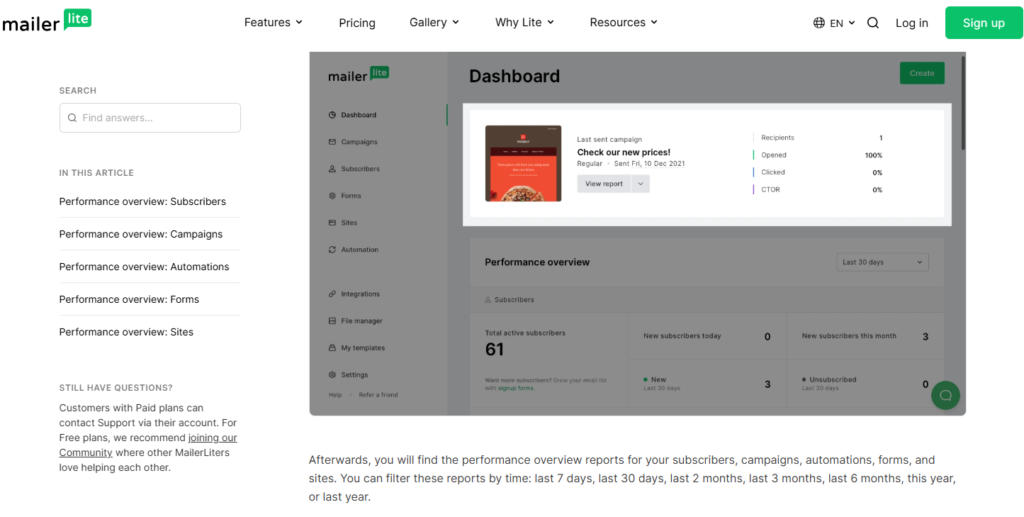
One of the key strengths of it is its flexible audience organization system.
The platform uses two primary methods:
Groups
Groups allow users to manually organize subscribers based on specific categories or interests.
For example:
- Newsletter subscribers
- Customers
- Affiliate marketing leads
- Webinar attendees
- Course students
Groups make it easy to manage audiences and trigger automation workflows.
Segments
Segments are dynamic collections of subscribers that update automatically based on predefined conditions.
Examples include:
- Subscribers who opened the last email
- Subscribers who clicked a specific link
- New subscribers within the last 30 days
- Inactive subscribers
- Subscribers from a particular country
Because segments update automatically, marketers can maintain highly targeted audiences without manual work.
Using Custom Fields
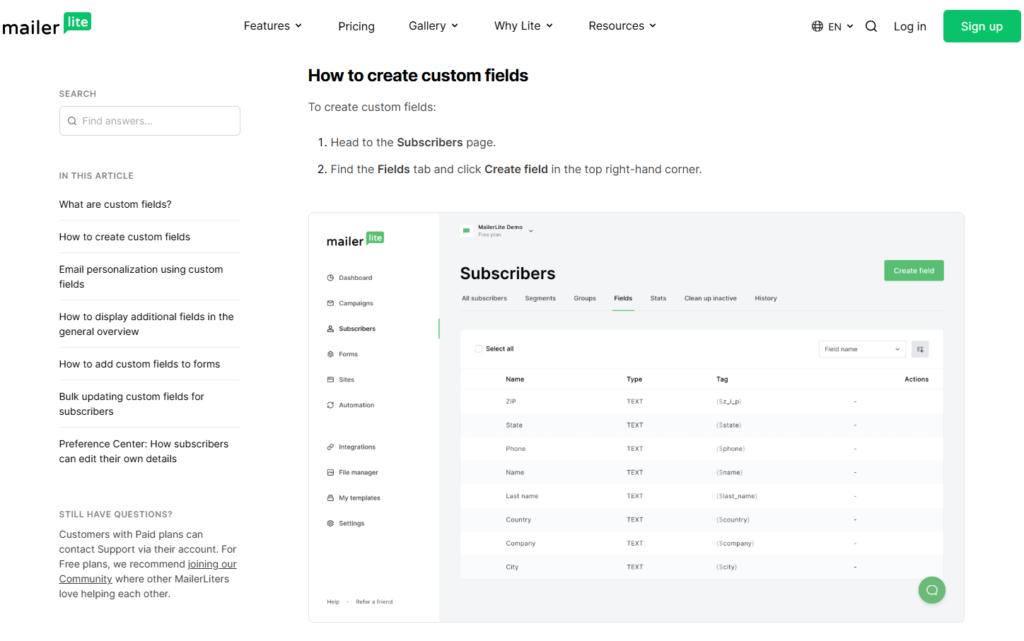
It allows users to create custom fields that store additional subscriber information.
Examples include:
- Company name
- Industry
- Job title
- Product interest
- Location
- Purchase history
Custom fields help businesses personalize email content and improve the relevance of their campaigns.
Subscriber Activity Tracking
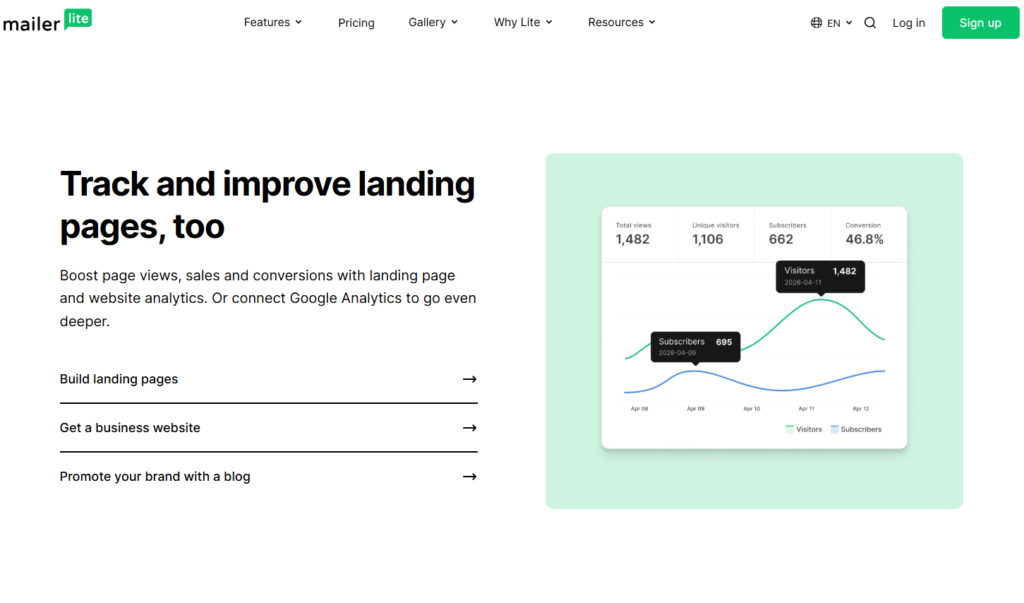
Understanding subscriber behavior is essential for effective email marketing. It tracks important subscriber actions and engagement metrics that can be used to improve campaign performance.
Users can monitor:
- Email opens
- Link clicks
- Form submissions
- Automation activity
- Subscriber growth
These insights help identify highly engaged subscribers as well as contacts who may need re-engagement campaigns.
Audience Personalization
Personalized communication often leads to better results than sending the same message to everyone. MailerLite makes it easy to personalize emails using subscriber information stored in custom fields and segments.
Examples include:
- Personalized greetings
- Location-specific offers
- Interest-based content
- Product recommendations
This level of personalization can improve open rates, click-through rates, and overall subscriber engagement.
Automated Subscriber Organization
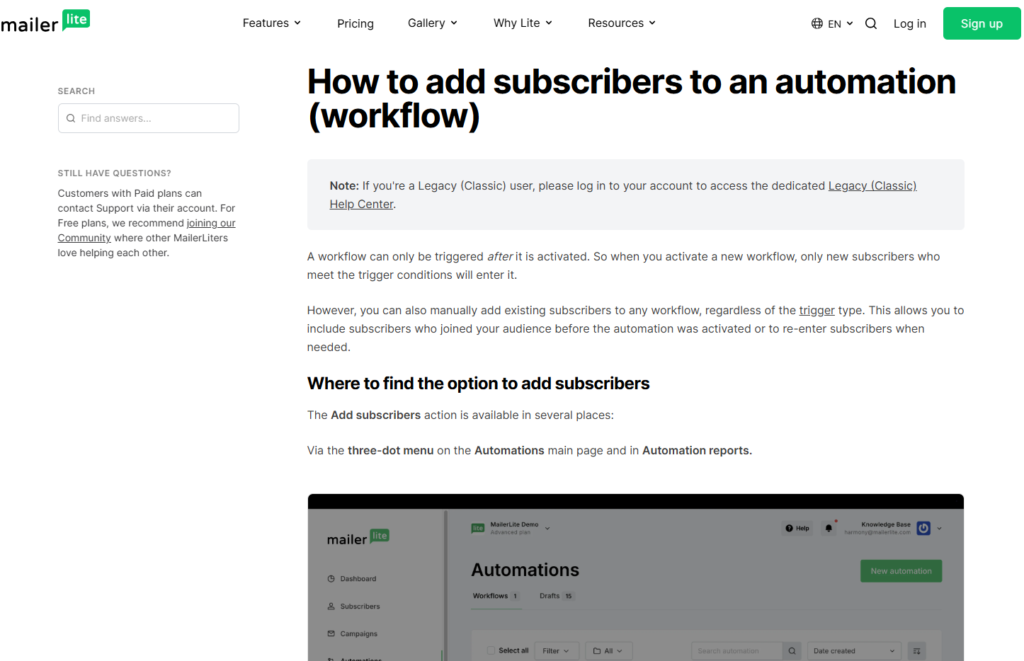
Another advantage of it is the ability to automatically organize subscribers through automation workflows.
Subscribers can be automatically:
- Added to groups
- Removed from groups
- Assigned tags
- Moved between segments
- Entered into automation sequences
This automation reduces manual work while keeping subscriber data organized and up to date.
Managing Inactive Subscribers
Maintaining a healthy email list is important for deliverability and campaign performance. It helps users identify inactive subscribers who have stopped engaging with emails.
Businesses can use this data to:
- Launch re-engagement campaigns
- Remove inactive contacts
- Improve list quality
- Maintain better sender reputation
A cleaner list often leads to higher engagement rates and improved inbox placement.
Importing and Exporting Subscribers
It makes it easy to migrate contacts from other email marketing platforms.
Users can:
- Import subscriber lists
- Upload CSV files
- Export subscriber data
- Sync contacts from integrations
This flexibility simplifies the process of switching to MailerLite from another provider.
Why Subscriber Management Matters
The success of an email marketing strategy depends heavily on how well subscribers are organized and targeted. It provides all the essential tools needed to manage contacts, track engagement, and create audience segments that improve campaign performance.
By combining subscriber management, segmentation, personalization, and automation, MailerLite enables businesses to send more relevant emails that generate stronger relationships and better results.
Email Deliverability Performance
No matter how well-designed your email campaigns are, they won’t produce results if they never reach your subscribers’ inboxes. That’s why email deliverability is one of the most important factors to consider when choosing an email marketing platform. It has built a strong reputation for maintaining high deliverability rates and helping users maximize inbox placement.
For businesses, bloggers, creators, and affiliate marketers, strong deliverability means more subscribers see your emails, leading to higher engagement, clicks, and conversions.
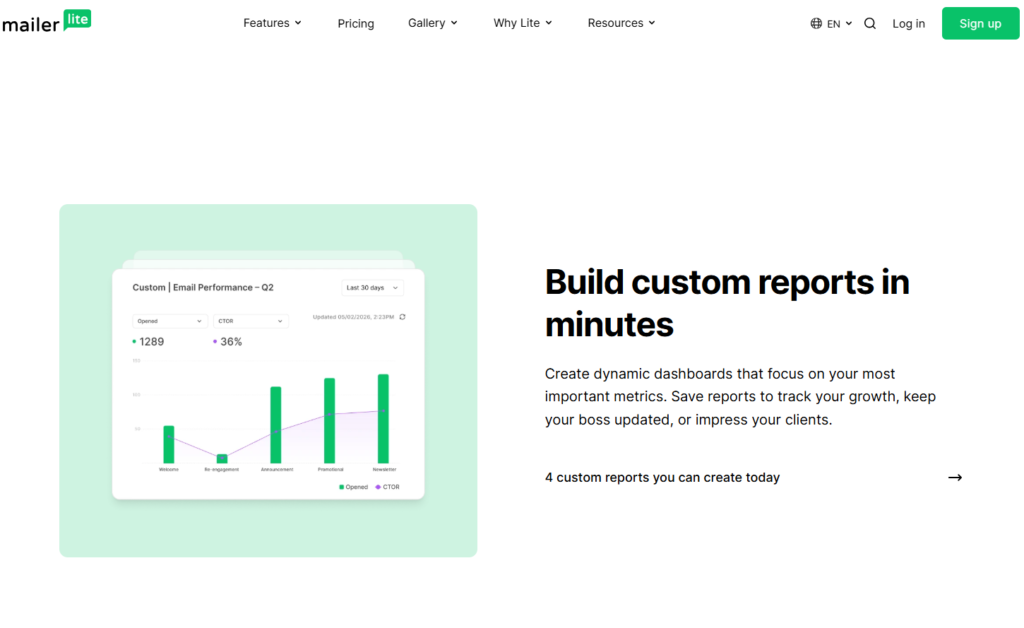
What Is Email Deliverability?
Email deliverability refers to the ability of an email to successfully reach a subscriber’s inbox instead of being filtered into spam folders or blocked entirely.
Good deliverability depends on several factors, including:
- Sender reputation
- Email authentication
- Subscriber engagement
- List quality
- Content quality
- Sending practices
MailerLite provides tools and best practices that help users improve each of these areas.
MailerLite’s Deliverability Reputation
It is known for maintaining strict account approval and anti-spam policies. While some users may find the approval process slightly more detailed than other platforms, these measures help protect the platform’s sending reputation.
By carefully reviewing accounts and monitoring sending activity, it helps maintain high standards across its network, which benefits all users by improving overall deliverability.
Email Authentication Features
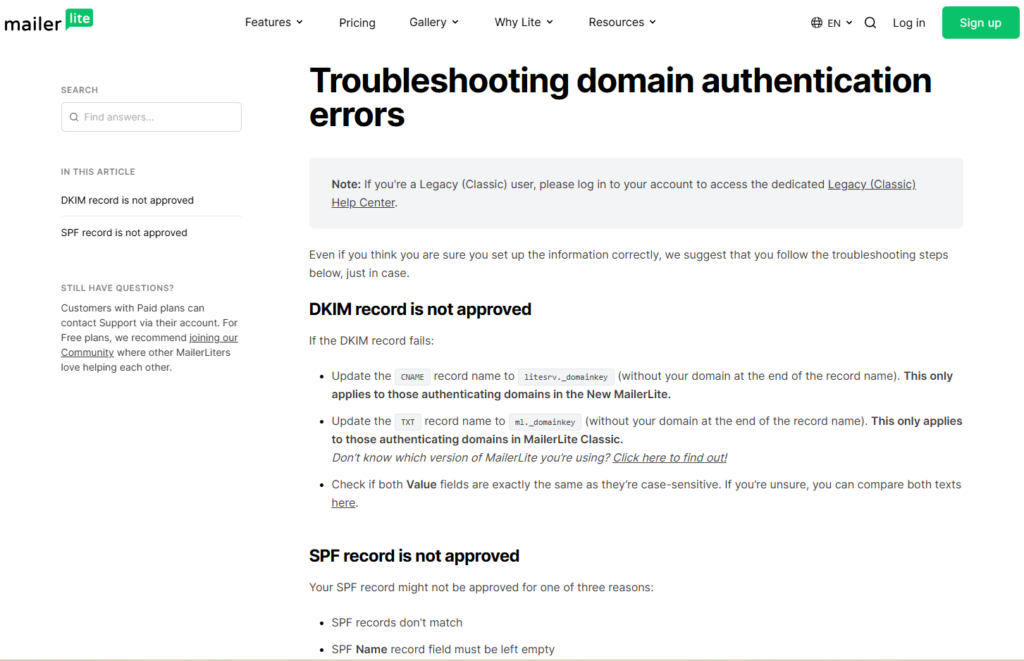
MailerLite supports several email authentication methods that help verify your identity as a sender and improve trust with email providers.
These include:
- SPF (Sender Policy Framework)
- DKIM (DomainKeys Identified Mail)
- Custom sending domains
Proper authentication helps reduce the likelihood of emails being flagged as spam and can significantly improve inbox placement rates.
Subscriber Engagement Tracking
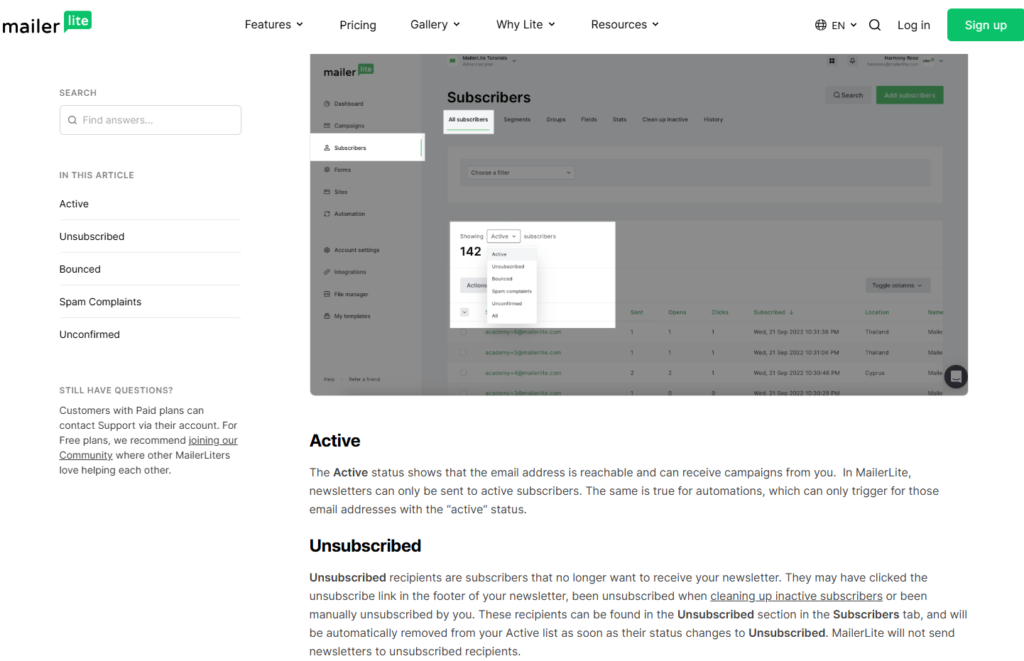
One of the reasons MailerLite performs well in terms of deliverability is its focus on subscriber engagement.
The platform allows users to track:
- Open rates
- Click rates
- Unsubscribes
- Spam complaints
- Subscriber activity
These metrics help marketers identify engagement trends and maintain healthier email lists.
Tools for Maintaining List Quality
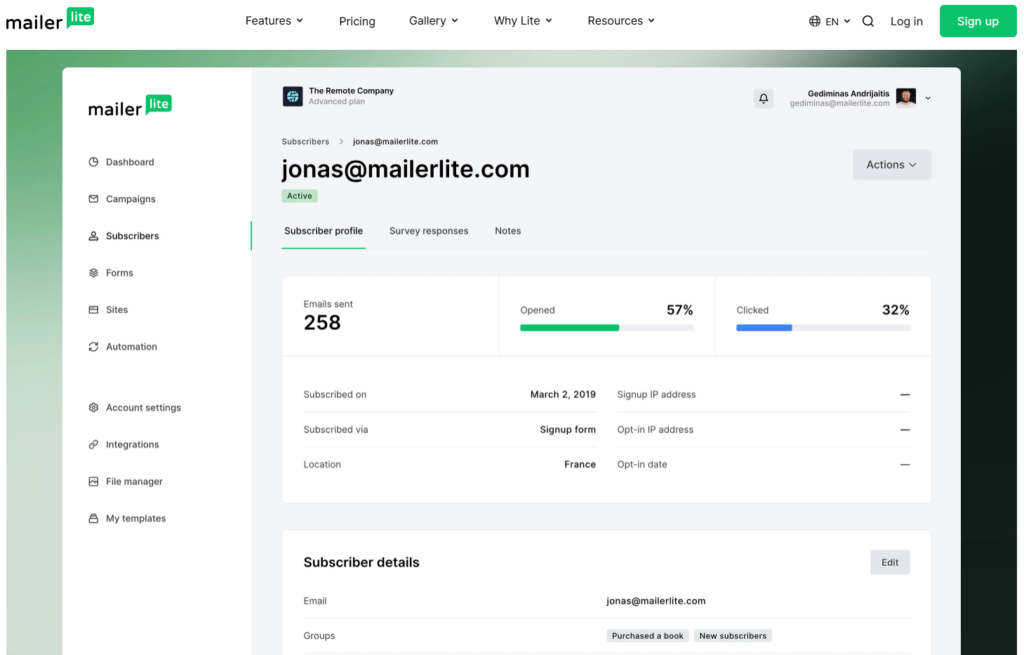
A clean email list is essential for strong deliverability. It provides tools that help users manage subscriber quality and reduce the risk of deliverability problems.
Users can:
- Remove inactive subscribers
- Identify bounced emails
- Monitor spam complaints
- Create re-engagement campaigns
- Segment active and inactive contacts
Maintaining a healthy list improves sender reputation and increases the chances of reaching the inbox.
Double Opt-In Support
It offers double opt-in functionality, which requires subscribers to confirm their email address before joining a list.
Benefits of double opt-in include:
- Higher-quality subscribers
- Reduced fake signups
- Lower spam complaints
- Better engagement rates
Although it may slightly reduce the number of subscribers collected, it often improves overall list quality and deliverability performance.
Deliverability Best Practices
It provides educational resources and recommendations that help users follow email marketing best practices.
Some key recommendations include:
- Sending relevant content
- Maintaining consistent sending schedules
- Cleaning inactive subscribers regularly
- Avoiding spam-triggering content
- Authenticating domains
These practices contribute to stronger long-term deliverability and better campaign results.
Monitoring Campaign Health
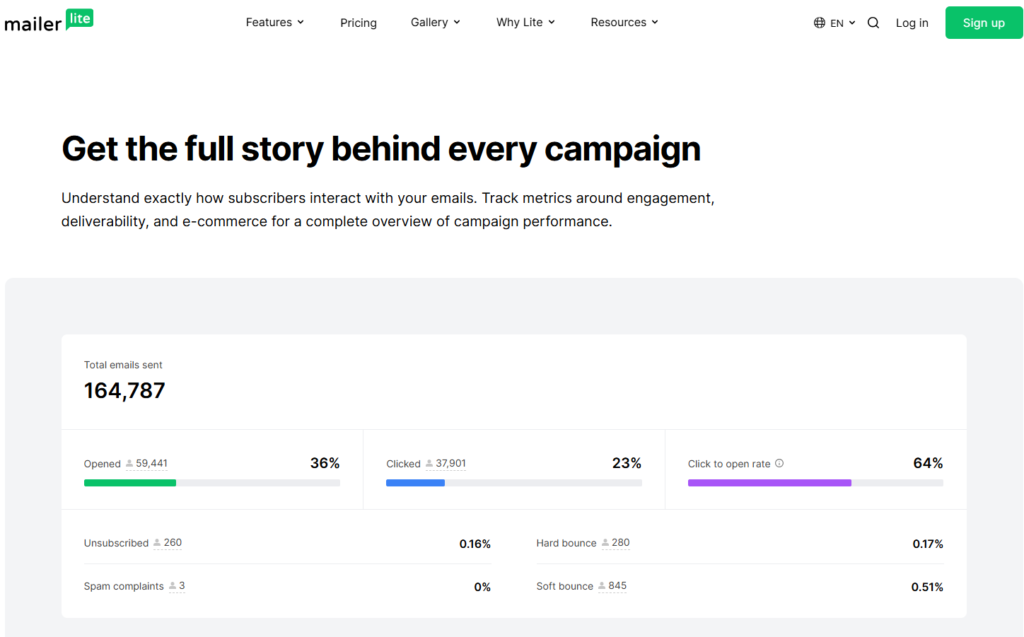
Its reporting tools allow users to monitor the health of their email campaigns and quickly identify potential issues.
Important deliverability-related metrics include:
- Bounce rates
- Spam complaint rates
- Open rates
- Click-through rates
- Unsubscribe rates
By reviewing these metrics regularly, marketers can make adjustments before deliverability problems become serious.
How MailerLite Compares to Other Platforms
Compared to many email marketing platforms, MailerLite performs well in the area of deliverability. Its strict anti-spam policies, authentication options, subscriber management tools, and list hygiene features help users maintain strong inbox placement rates.
While deliverability ultimately depends on individual sending practices, it provides the tools and infrastructure needed to support successful email marketing campaigns.
Final Thoughts on Deliverability
MailerLite offers a solid set of deliverability features that help users maximize the chances of reaching subscribers’ inboxes. From authentication tools and subscriber management to engagement tracking and list cleaning features, the platform provides everything needed to maintain a healthy sender reputation.
For businesses that rely on email marketing to generate leads, nurture customers, and drive sales, it delivers the tools necessary to support strong and consistent email deliverability performance.
Integrations and Third-Party Apps
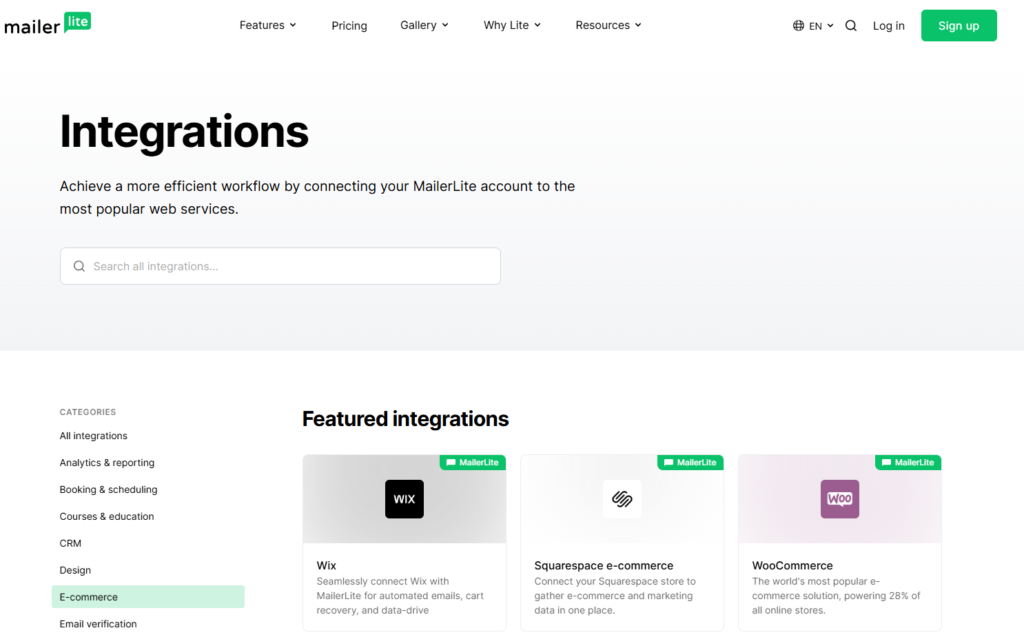
One of the most important factors when choosing an email marketing platform is its ability to connect with other tools you already use. It offers a wide range of integrations and third-party app connections that help businesses automate workflows, manage customer data, and streamline marketing operations.
Whether you’re running a blog, an eCommerce store, an online course business, or an affiliate marketing website, it provides the flexibility needed to connect your email marketing efforts with the rest of your technology stack.
Why Integrations Matter
Modern businesses rely on multiple tools to manage different aspects of their operations. Without integrations, transferring data between platforms can become time-consuming and error-prone.
MailerLite integrations help users:
- Automate repetitive tasks
- Sync subscriber data
- Track customer activity
- Improve lead generation
- Enhance marketing workflows
By connecting MailerLite with other applications, businesses can create a more efficient and scalable marketing system.
Website Platform Integrations
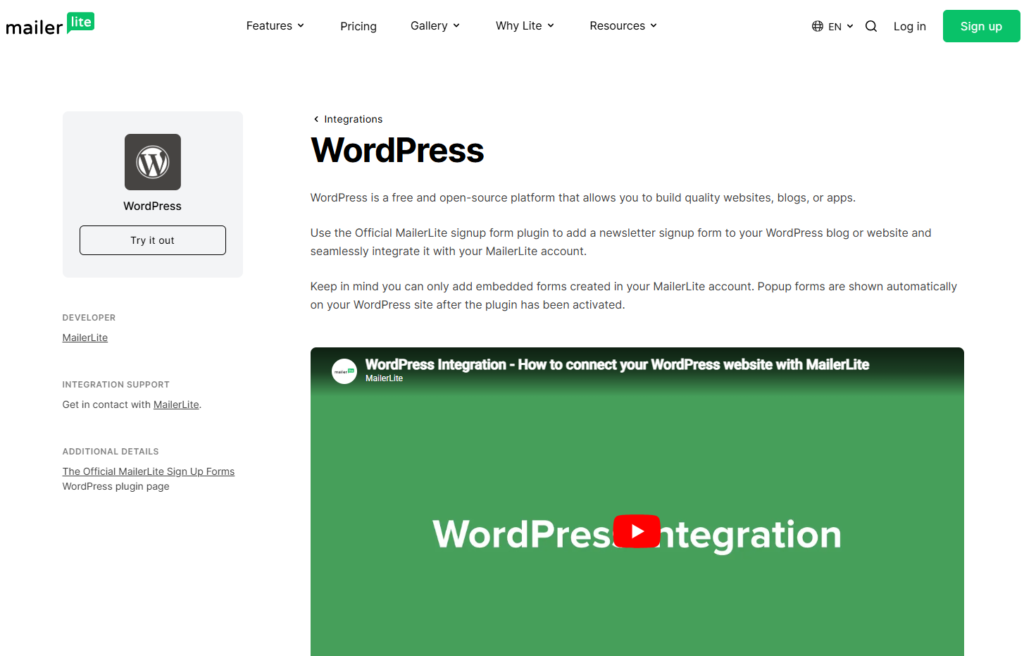
MailerLite integrates with several popular website and content management platforms, making it easy to capture leads and grow an email list.
Popular website integrations include:
- WordPress
- Squarespace
- Webflow
- Wix
- Shopify websites
These integrations allow users to embed forms, collect subscriber information, and automatically sync contacts with MailerLite.
eCommerce Integrations
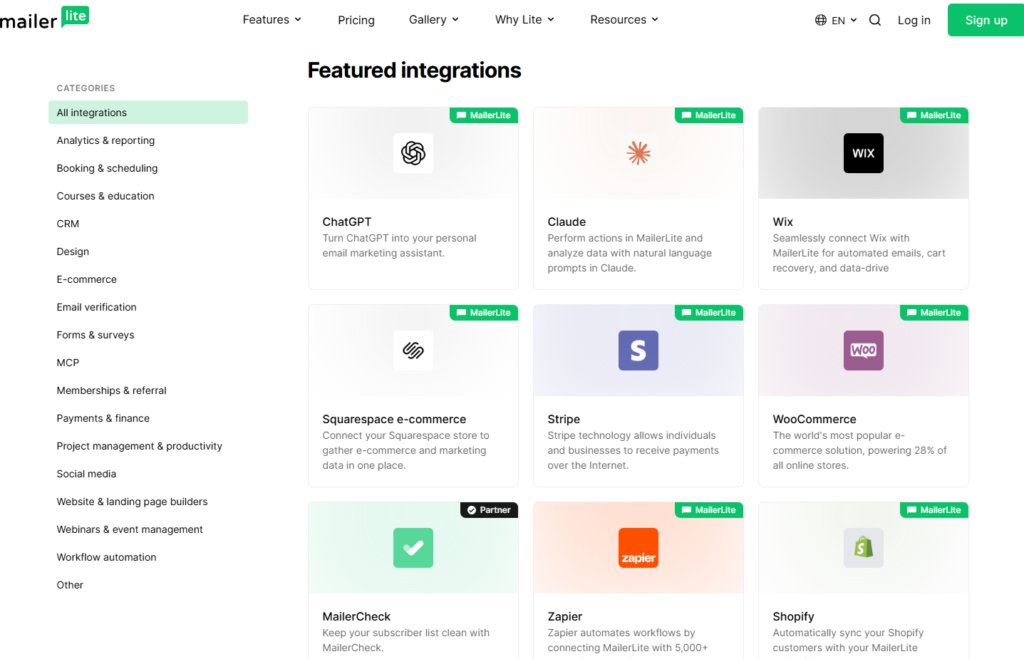
For online stores, it offers integrations that help connect customer data with email marketing campaigns.
Supported eCommerce platforms include:
- Shopify
- WooCommerce
- BigCommerce
- Stripe
These integrations allow businesses to:
- Collect customer information
- Track purchases
- Segment customers
- Send targeted email campaigns
This makes it easier to create personalized marketing experiences that drive repeat sales and customer engagement.
Automation Through Zapier
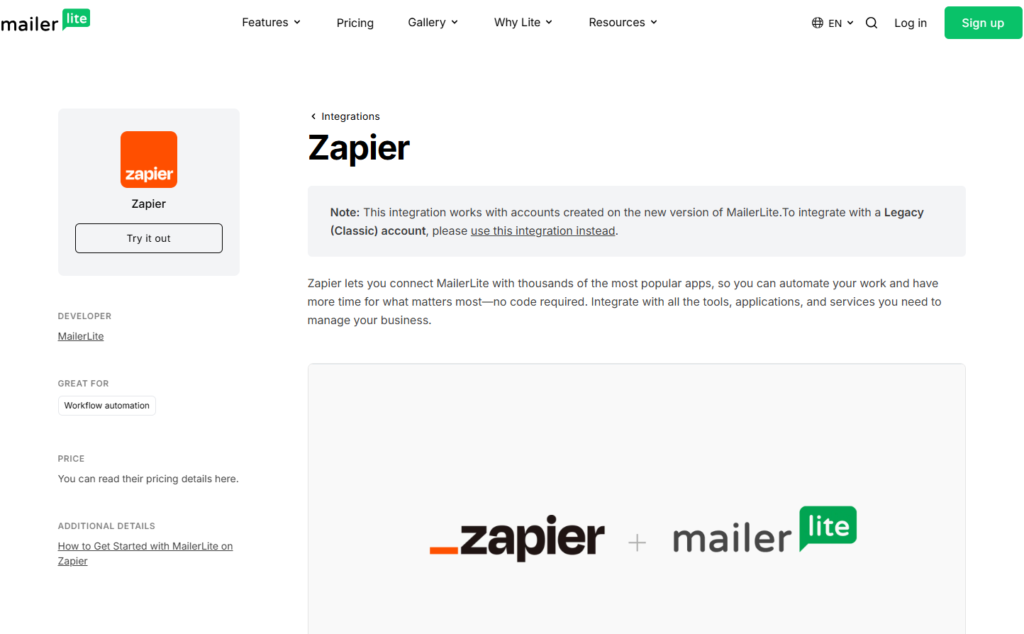
One of the most valuable MailerLite integrations is its connection with Zapier. Zapier acts as a bridge between MailerLite and thousands of other applications.
With Zapier, users can automate tasks such as:
- Adding new leads to email lists
- Sending customer information between tools
- Triggering automations
- Updating subscriber records
This significantly expands MailerLite’s capabilities without requiring technical skills or custom development.
CRM and Business Tool Integrations
MailerLite also works with various customer relationship management (CRM) and productivity tools that help businesses organize customer information and improve communication.
Examples include:
- HubSpot
- Salesforce
- Pipedrive
- Airtable
- Google Sheets
These integrations help ensure customer data stays synchronized across multiple platforms.
Webinar and Event Integrations
Businesses that host webinars, workshops, and virtual events can use its integrations to automate registration and follow-up processes.
Common integrations include:
- Zoom
- Eventbrite
- Calendly
These connections allow users to:
- Collect registrations
- Send reminder emails
- Deliver follow-up sequences
- Manage event-related communications
Social Media and Lead Generation Tools
It can also support lead generation efforts through integrations with social media and marketing tools.
Businesses can use these integrations to:
- Capture leads from campaigns
- Sync subscriber information
- Automate marketing workflows
- Improve audience targeting
This helps create a seamless experience across multiple marketing channels.
API Access for Advanced Users
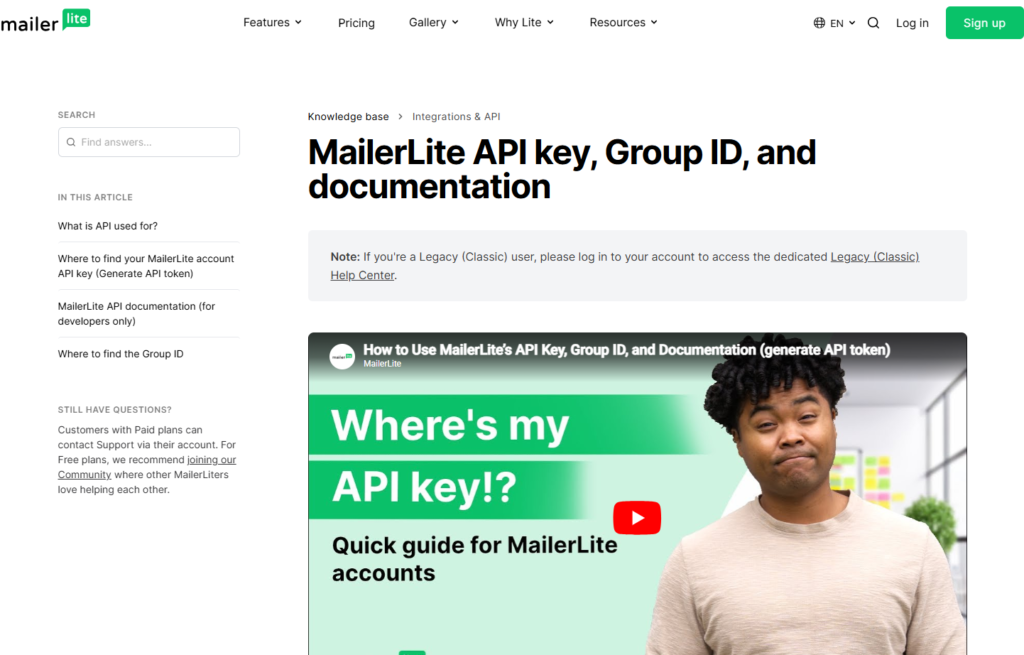
For developers and businesses with custom requirements, it provides API access that allows deeper integration with websites, applications, and internal systems.
Using the MailerLite API, developers can:
- Add subscribers automatically
- Update customer information
- Trigger automation workflows
- Retrieve campaign data
- Build custom integrations
This flexibility makes MailerLite suitable for businesses that require more advanced functionality.
Ease of Integration Setup
One of the advantages of MailerLite is that most integrations can be configured without coding knowledge. The platform provides clear instructions and guided setup processes for many popular applications.
This user-friendly approach allows businesses to connect their tools quickly and start automating workflows with minimal effort.
Final Thoughts on MailerLite Integrations
MailerLite offers a strong selection of integrations that help users connect email marketing with websites, eCommerce stores, CRMs, automation platforms, and other business tools. While its integration library may not be as extensive as some enterprise-level platforms, it covers the needs of most small businesses, bloggers, creators, and affiliate marketers.
For users looking to build a connected marketing ecosystem without unnecessary complexity, MailerLite provides the essential integrations needed to automate workflows, improve efficiency, and support long-term business growth.
Pricing Plans and Value for Money
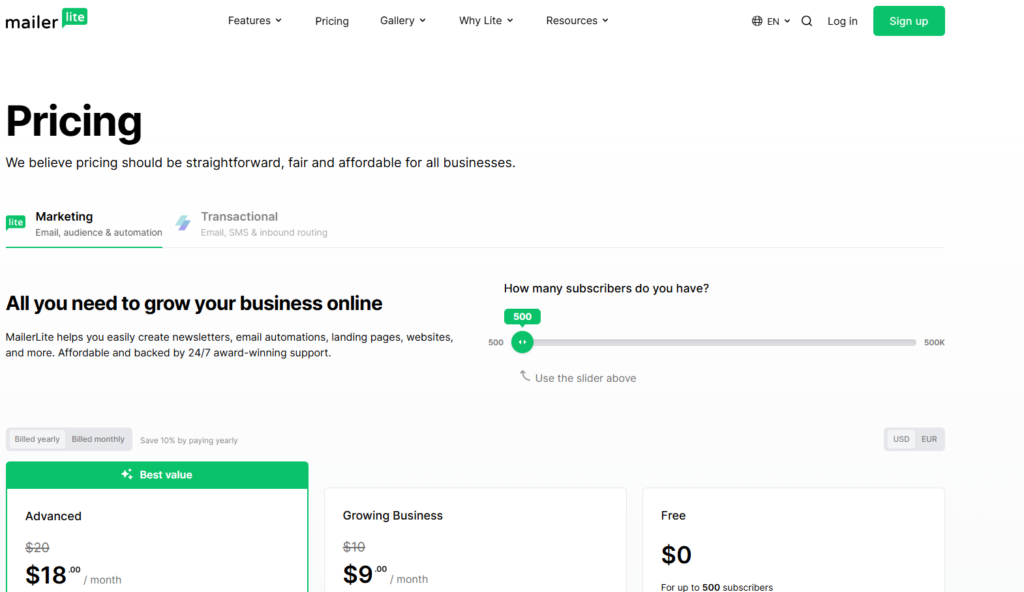
Pricing is often one of the biggest factors when choosing an email marketing platform, especially for bloggers, creators, affiliate marketers, and small businesses. One of the reasons MailerLite has become so popular is its ability to offer powerful email marketing features at a competitive price.
Compared to many alternatives, it provides excellent value for money by combining email marketing, automation, landing pages, website building, signup forms, and subscriber management in a single platform.
MailerLite Free Plan
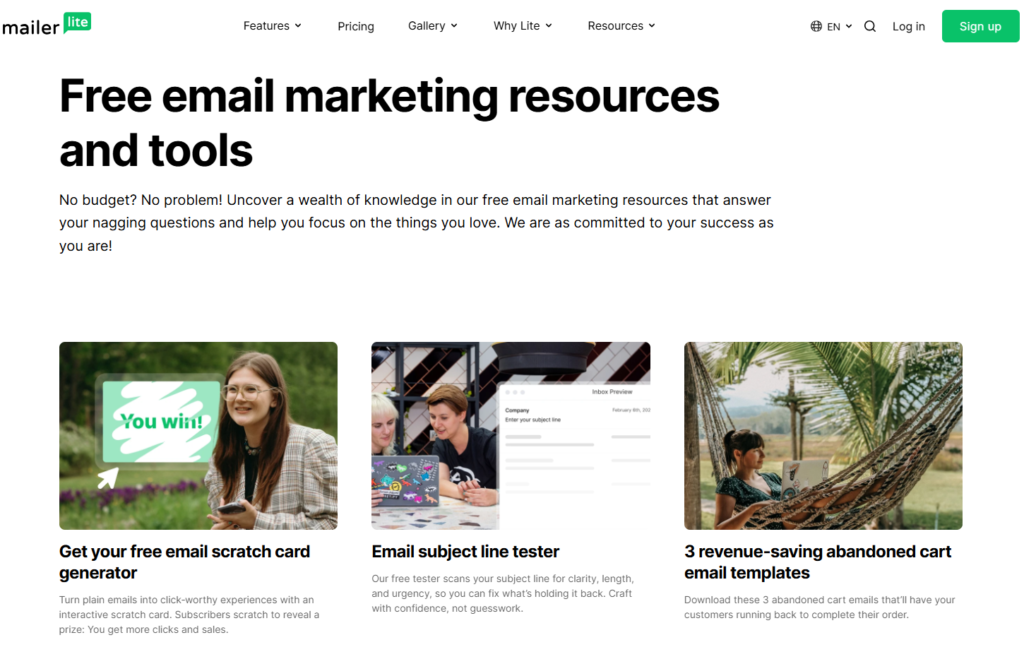
One of the biggest advantages of MailerLite is its generous free plan. Unlike some email marketing platforms that limit essential features, it allows new users to access many core tools without an upfront investment.
The free plan is ideal for:
- Bloggers
- Startups
- Small businesses
- Content creators
- Affiliate marketers
Users can build an email list, create campaigns, use landing pages, and explore the platform before committing to a paid plan.
For anyone just starting with email marketing, the MailerLite free plan offers an excellent opportunity to learn the platform and grow an audience without financial risk.
Paid Plans
As your subscriber list grows, it offers paid plans that unlock additional features and higher usage limits.
Paid plans generally provide access to:
- Larger subscriber allowances
- Advanced automation features
- Enhanced reporting
- Additional customization options
- Premium support
- More advanced marketing tools
The pricing scales based on the number of subscribers, allowing businesses to upgrade as their audience grows.
What You Get for the Price
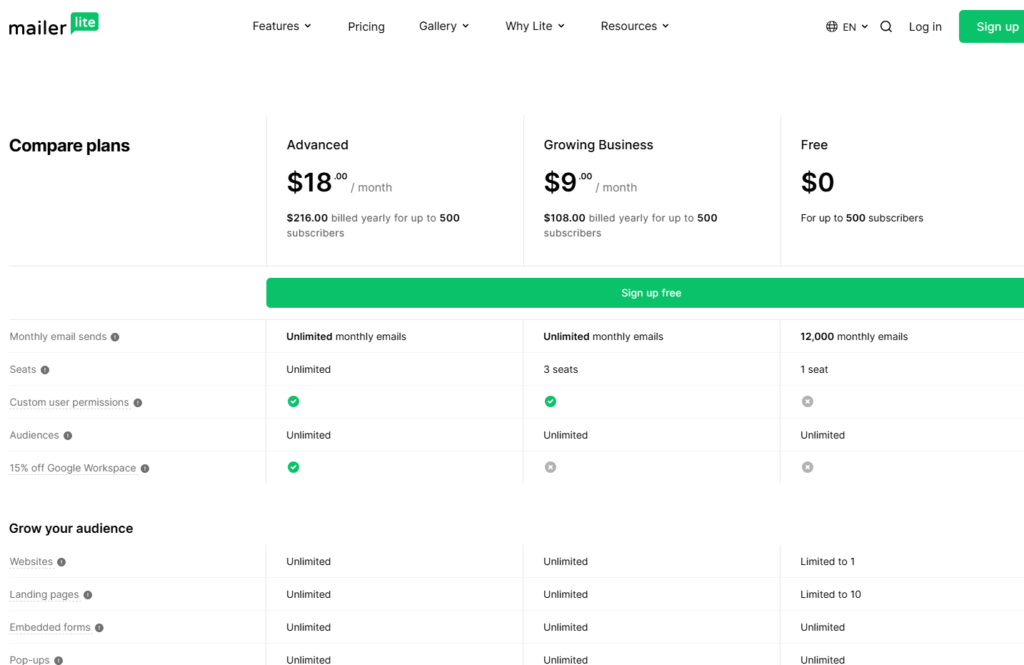
One of the strongest aspects of MailerLite pricing is the number of features included at each level.
Instead of requiring separate subscriptions for:
- Landing page builders
- Form builders
- Basic websites
- Email automation
- Subscriber management
MailerLite combines these tools into a single platform.
This can significantly reduce overall software costs, especially for small businesses and solopreneurs.
Cost Comparison with Competitors
When compared to other popular email marketing platforms, MailerLite is often positioned as one of the most affordable options.
Many competing platforms charge higher monthly fees for similar functionality, particularly when subscriber counts increase.
For example, users who need:
- Email marketing
- Automation
- Landing pages
- Lead generation tools
may find that MailerLite offers similar capabilities at a lower overall cost than some competitors.
This affordability is one reason why MailerLite is frequently recommended for budget-conscious marketers.
Scalability for Growing Businesses
A major benefit of MailerLite is that it grows with your business. Small businesses can begin on the free plan and gradually move to paid plans as their subscriber base expands.
Because pricing is tied to subscriber volume, users only pay for the capacity they actually need.
This makes MailerLite a practical solution for businesses at different stages of growth.
Value for Bloggers and Affiliate Marketers
For bloggers and affiliate marketers, MailerLite provides particularly strong value because it includes tools that support audience growth and monetization.
Users can:
- Build email lists
- Create lead magnets
- Automate email sequences
- Promote affiliate products
- Track campaign performance
Having these features available within a single platform helps reduce costs while simplifying marketing workflows.
Hidden Costs and Limitations
One area where MailerLite performs well is pricing transparency. The platform is generally straightforward about plan limitations and upgrade requirements.
However, as with most email marketing tools, costs will increase as your subscriber list grows. Businesses with very large audiences should review current pricing carefully to estimate future expenses.
Despite this, MailerLite remains competitive in terms of overall value when compared to many alternatives.
Is MailerLite Worth the Price?
For most small businesses, bloggers, creators, and affiliate marketers, MailerLite offers excellent value for money. The combination of email marketing, automation, landing pages, website building, and subscriber management provides a feature set that would otherwise require multiple tools and subscriptions.
While some enterprise-level platforms may offer more advanced functionality, MailerLite delivers a strong balance of affordability, usability, and marketing power that meets the needs of most users.
Final Thoughts on MailerLite Pricing
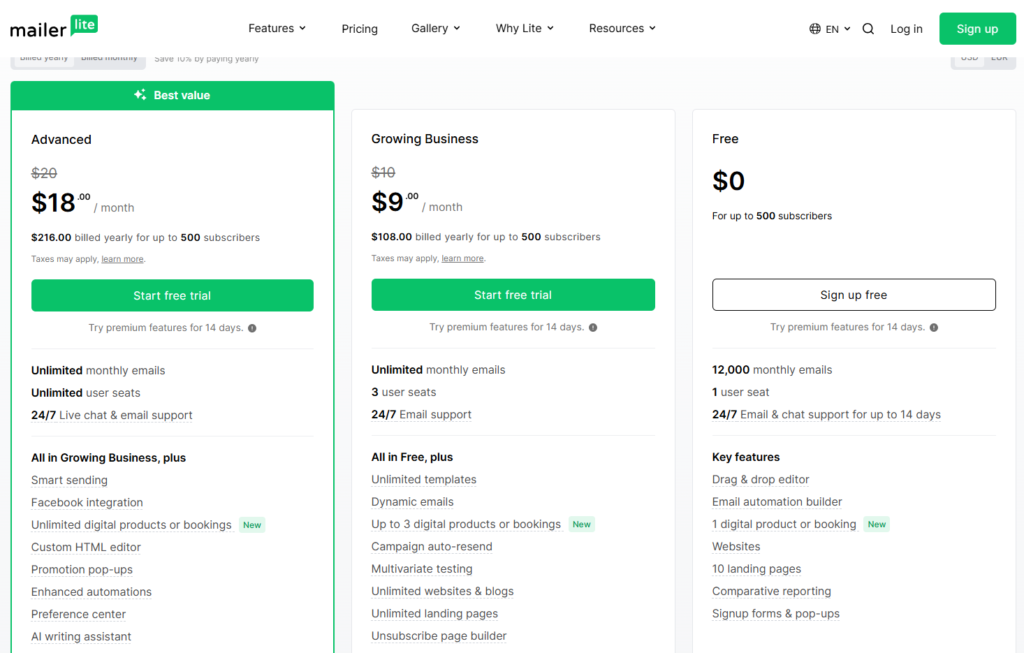
It stands out as one of the best value email marketing platforms available today. Its free plan makes it accessible to beginners, while its paid plans offer enough functionality to support growing businesses.
If you’re looking for an affordable email marketing solution that includes automation, lead generation, landing pages, and subscriber management without breaking the budget, MailerLite is one of the strongest options to consider.
Customer Support and Resources
Even the most user-friendly email marketing platform can occasionally require assistance. Whether you’re setting up your first email campaign, configuring automations, or troubleshooting a technical issue, having access to reliable support and educational resources can make a significant difference. It provides multiple support channels and learning resources designed to help users get the most out of the platform.
For beginners and experienced marketers alike, it offers a solid combination of customer support, documentation, and educational content.
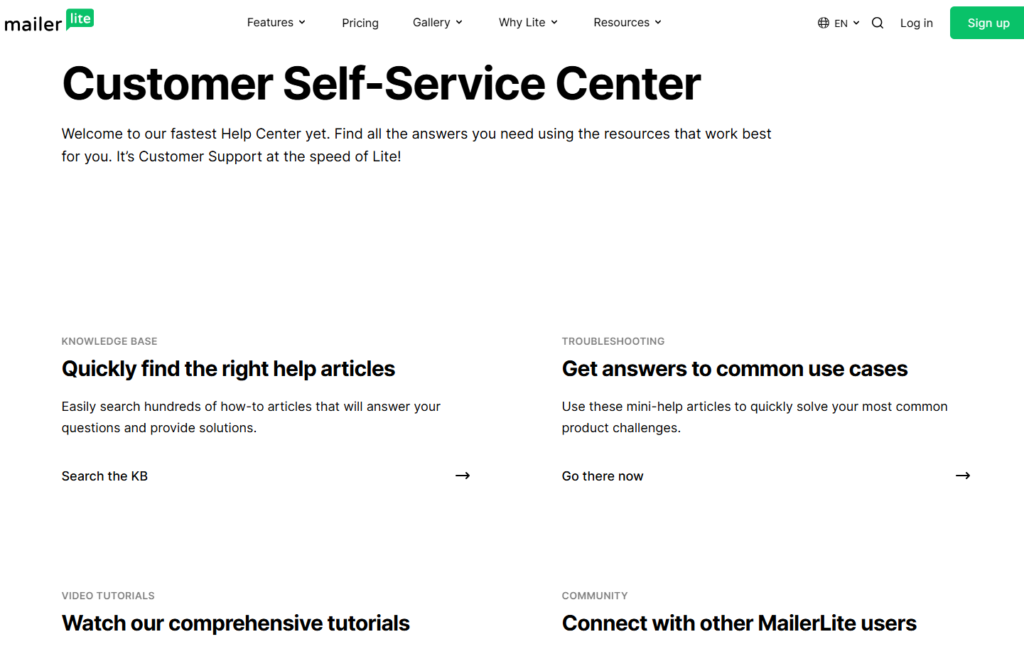
Knowledge Base
One of the first places users can find help is the MailerLite knowledge base. This extensive resource library contains articles, tutorials, and step-by-step guides covering nearly every aspect of the platform.
Topics include:
- Account setup
- Email campaigns
- Automation workflows
- Landing pages
- Signup forms
- Subscriber management
- Integrations
- Billing and account settings
The knowledge base is well-organized and searchable, making it easy to find answers without contacting support.
Video Tutorials

MailerLite provides video tutorials that walk users through common tasks and platform features. These videos are especially helpful for visual learners who prefer seeing processes demonstrated rather than reading documentation.
Popular tutorial topics include:
- Creating email campaigns
- Building automation workflows
- Designing landing pages
- Growing an email list
- Using segmentation tools
These resources can help users learn the platform faster and avoid common mistakes.
Email Support
It offers email support for users who need personalized assistance. Support requests can be submitted directly through the platform, allowing users to receive help with technical issues, account questions, and feature-related concerns.
Email support is particularly useful for:
- Troubleshooting problems
- Understanding advanced features
- Resolving account issues
- Getting setup assistance
Response times may vary depending on account type and support demand, but MailerLite generally provides helpful and detailed responses.
Live Chat Support
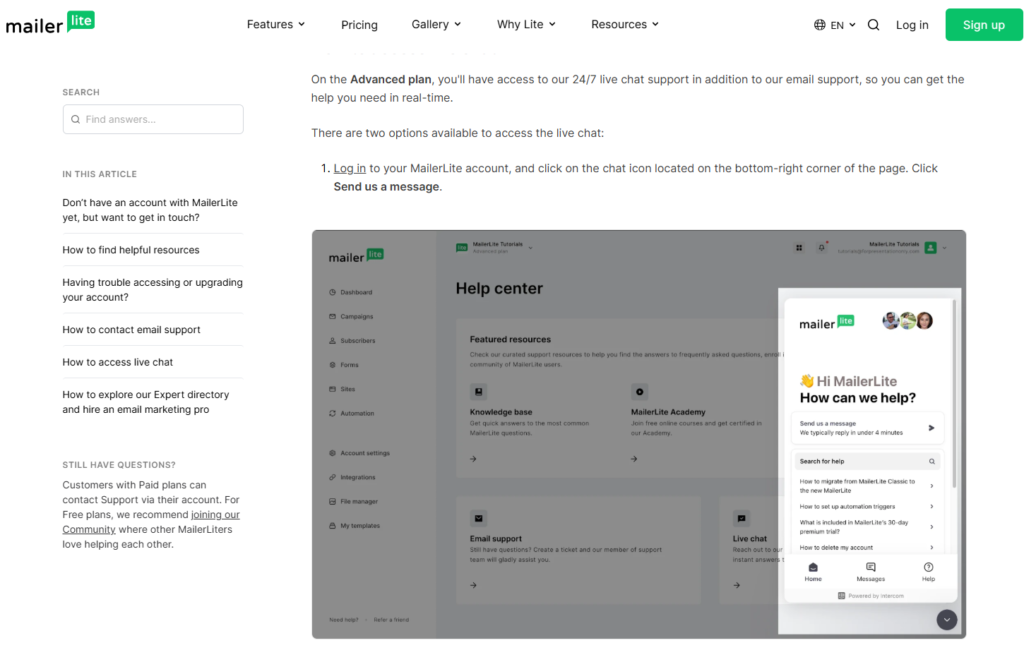
For users who need quicker assistance, it offers live chat support on eligible plans. Live chat allows users to communicate directly with support representatives and receive answers in real time.
This option can be especially valuable when:
- Setting up campaigns
- Fixing urgent issues
- Troubleshooting integrations
- Configuring automation workflows
Having access to live support can reduce downtime and improve the overall user experience.
Educational Resources and Marketing Guides
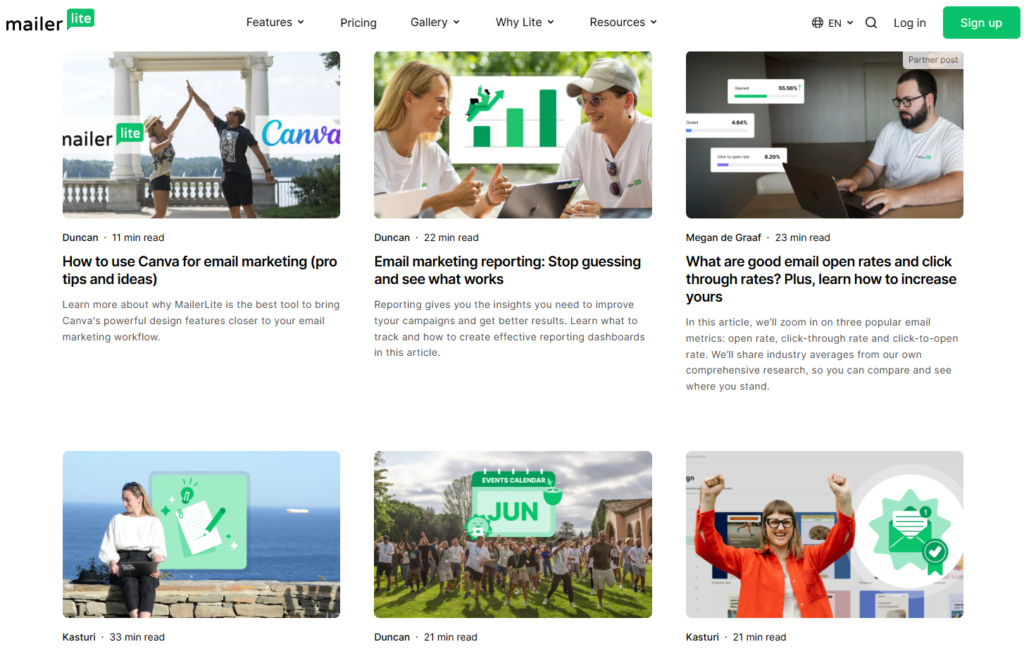
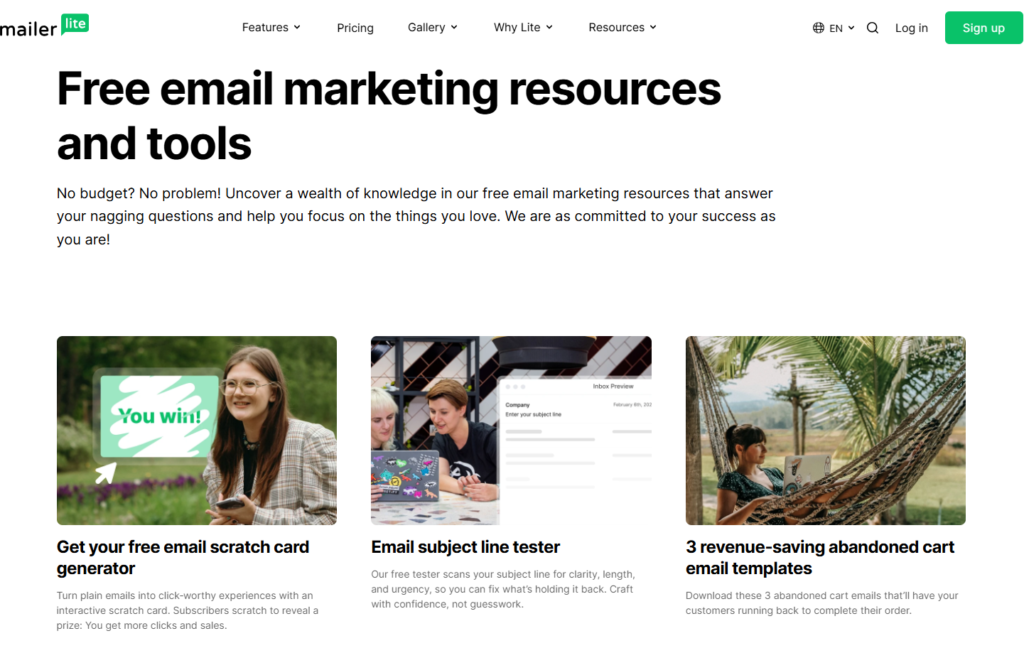
Beyond product support, MailerLite invests heavily in educational content designed to help users become better marketers.
The platform regularly publishes resources covering topics such as:
- Email marketing strategies
- List building techniques
- Automation best practices
- Conversion optimization
- Content marketing
- Deliverability improvements
These resources provide valuable insights that go beyond learning the software itself.
Webinars and Training
It occasionally offers webinars, workshops, and training sessions that help users learn both platform features and broader marketing concepts.
These sessions can be useful for:
- Beginners learning email marketing
- Businesses improving automation strategies
- Marketers seeking advanced tactics
- Teams onboarding new users
Live training opportunities often allow participants to ask questions and receive direct guidance.
Community and User Support
Many its users also benefit from community discussions, online forums, and social media groups where marketers share experiences, tips, and best practices.
While official support should always be the primary source for technical issues, community discussions can provide additional ideas and real-world use cases.
Ease of Finding Help
One of the strengths of MailerLite’s support system is accessibility. Most support options and educational resources are easy to locate within the platform, reducing the time required to find answers.
Combined with the platform’s intuitive design, this helps users solve problems quickly and continue focusing on their marketing goals.
Overall Support Experience
It offers a well-rounded support experience that combines direct assistance with extensive self-service resources. The knowledge base, video tutorials, email support, live chat options, and educational content provide users with multiple ways to learn the platform and resolve issues.
For bloggers, creators, affiliate marketers, and small businesses, it delivers the level of support most users need to successfully manage their email marketing efforts.
Final Thoughts on Customer Support
While support quality can vary depending on the issue and account type, MailerLite generally performs well in this area. Its combination of accessible documentation, educational resources, and direct support channels makes it easier for users to overcome challenges and maximize the value of the platform.
For most small businesses and content creators, it provides more than enough support resources to confidently manage and grow their email marketing campaigns.
MailerLite Pros and Cons
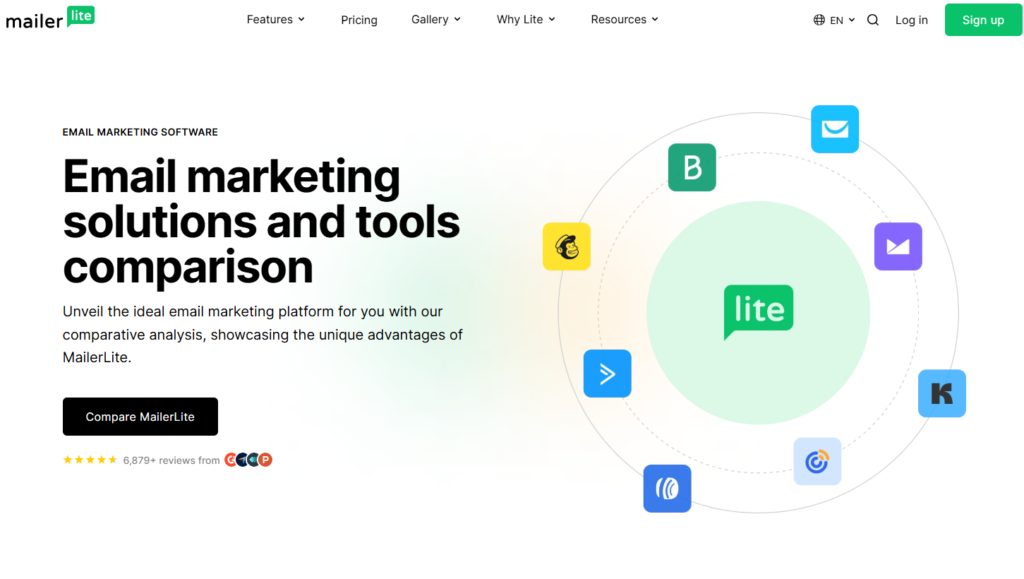
No email marketing platform is perfect, and MailerLite is no exception. While it offers a strong combination of affordability, ease of use, and powerful features, there are also a few limitations that potential users should consider before making a decision.
In this section, we’ll look at the main advantages and disadvantages of MailerLite to help you determine whether it’s the right email marketing solution for your needs.
MailerLite Pros
1. Easy to Use
One of the biggest strengths of MailerLite is its user-friendly interface. The platform is designed to be simple and intuitive, making it easy for beginners to create email campaigns, automation workflows, landing pages, and signup forms without technical knowledge.
The clean dashboard and drag-and-drop editors help reduce the learning curve significantly.
2. Generous Free Plan
It offers one of the most attractive free plans among email marketing platforms. New users can access many core features without paying upfront, making it an excellent choice for bloggers, creators, startups, and small businesses.
This allows users to test the platform and begin growing their email list before upgrading to a paid plan.
3. Affordable Pricing
Compared to many competitors, it provides excellent value for money. The platform includes features such as automation, landing pages, website building, and subscriber management at a competitive price point.
For budget-conscious businesses, MailerLite is often one of the most cost-effective email marketing solutions available.
4. Powerful Automation Tools
It includes a visual automation builder that allows users to create automated email sequences with ease.
Common automation workflows include:
- Welcome emails
- Lead nurturing campaigns
- Product follow-ups
- Re-engagement sequences
While not as advanced as some enterprise-level platforms, the automation tools are more than sufficient for most small businesses and content creators.
5. Built-In Landing Pages and Website Builder
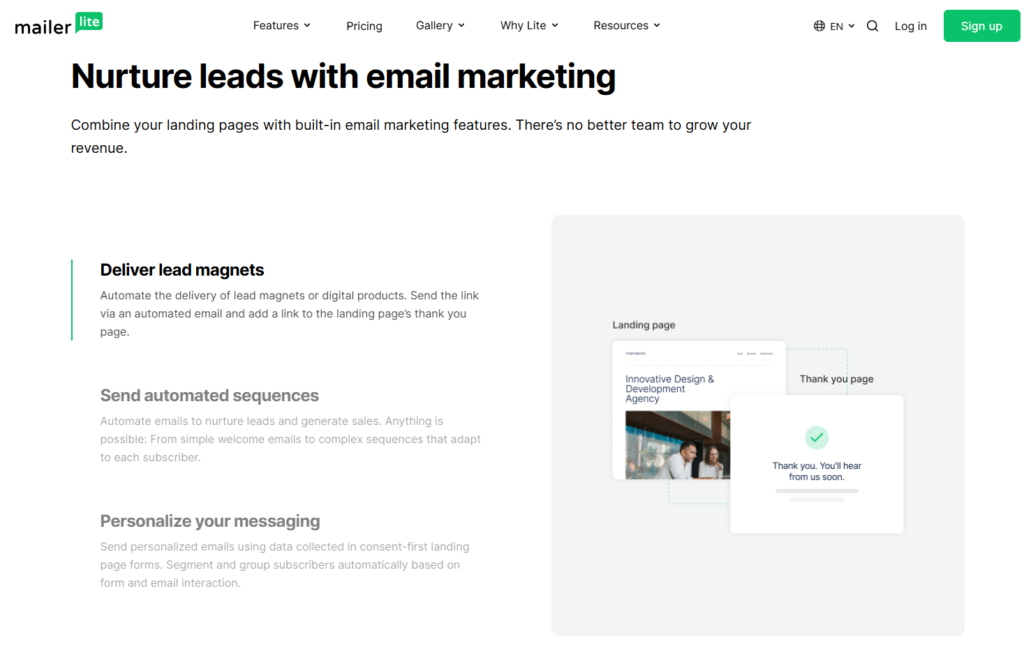
Many email marketing platforms focus only on email campaigns. It goes a step further by providing landing page and website building tools within the same platform.
This reduces the need for additional software subscriptions and simplifies marketing workflows.
6. Strong Deliverability
It has built a positive reputation for email deliverability. Features such as domain authentication, subscriber management, and anti-spam measures help improve inbox placement and campaign performance.
Good deliverability means more subscribers actually receive and engage with your emails.
7. Excellent for Bloggers and Affiliate Marketers
It is particularly popular among bloggers, creators, coaches, and affiliate marketers because it offers the essential tools needed to build and monetize an audience without unnecessary complexity.
The combination of affordability and functionality makes it a strong option for growing online businesses.
MailerLite Cons
1. Advanced Automation Is Limited
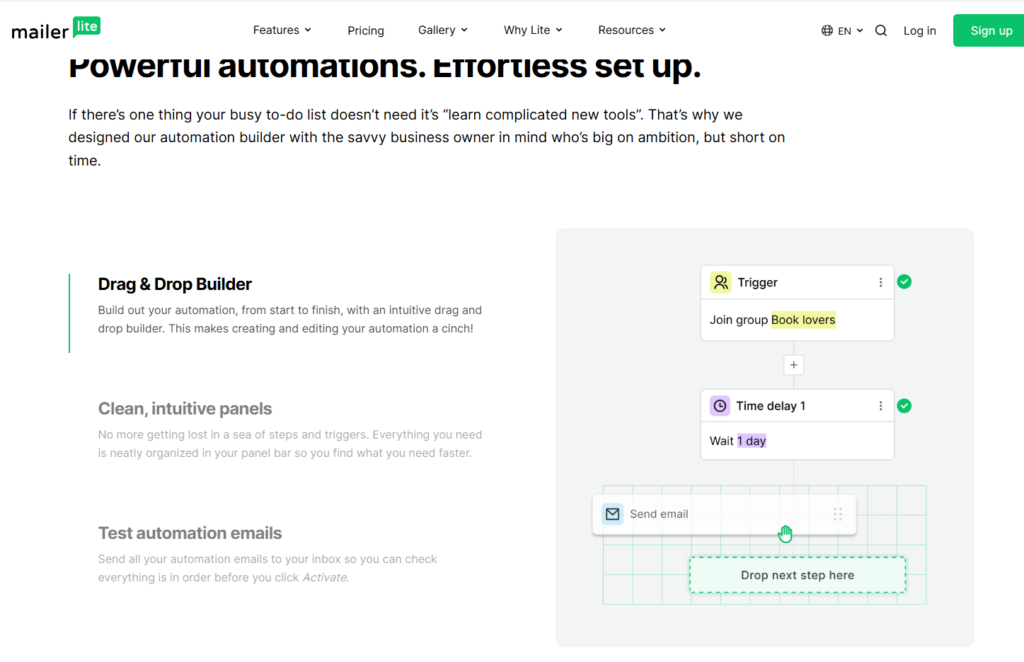
Although MailerLite offers solid automation capabilities, some advanced users may find its automation features less powerful than those available in platforms such as ActiveCampaign.
Businesses with highly complex customer journeys may eventually require more sophisticated automation tools.
2. Limited Advanced Reporting
It provides useful reporting metrics, but some competitors offer deeper analytics and more advanced reporting capabilities.
Large organizations that rely heavily on detailed marketing data may find the reporting features somewhat limited.
3. Account Approval Process Can Be Strict
MailerLite reviews new accounts before granting full access to sending capabilities. While this helps protect deliverability and reduce spam, some users may find the approval process slightly inconvenient.
However, this strict approach ultimately benefits users by maintaining a healthier email ecosystem.
4. Fewer Integrations Than Some Competitors
It integrates with many popular tools, but its integration library is smaller than those offered by certain enterprise-focused email marketing platforms.
For most small businesses this won’t be a major issue, but companies with highly specialized software stacks may require additional integration solutions.
5. Limited Enterprise Features
It is designed primarily for small businesses, creators, and growing companies. Large enterprises with complex requirements may find some advanced features missing when compared to higher-end marketing platforms.
Quick Pros and Cons Summary
Pros
- Easy-to-use interface
- Generous free plan
- Affordable pricing
- Strong automation tools
- Built-in landing pages and website builder
- Good email deliverability
- Ideal for bloggers and affiliate marketers
Cons
- Limited advanced automation features
- Basic reporting compared to enterprise platforms
- Account approval process can take time
- Smaller integration library
- Not ideal for large enterprises
Final Verdict on MailerLite’s Strengths and Weaknesses
Overall, the advantages of MailerLite significantly outweigh its drawbacks for most users. The platform delivers an impressive combination of usability, affordability, automation, lead generation, and email marketing functionality.
While businesses with highly advanced marketing requirements may prefer enterprise-level solutions, MailerLite remains one of the best options for bloggers, creators, affiliate marketers, startups, and small businesses looking for a reliable and cost-effective email marketing platform.
Final Verdict: Is MailerLite Worth It?
After reviewing its features, pricing, ease of use, automation capabilities, landing page builder, subscriber management tools, and deliverability performance, it’s clear that MailerLite offers exceptional value for small businesses, bloggers, creators, and affiliate marketers.
What makes it stand out is its ability to combine multiple marketing tools into a single platform. Instead of paying separately for email marketing software, landing page builders, form builders, automation tools, and website builders, users can manage everything from one dashboard. This not only saves money but also simplifies day-to-day marketing activities.
MailerLite is particularly well-suited for:
- Bloggers growing an email list
- Affiliate marketers promoting products and services
- Content creators building an audience
- Coaches and consultants generating leads
- Small businesses looking for an affordable marketing solution
- Startups with limited budgets
The platform’s intuitive interface makes it easy for beginners to get started, while its automation features, segmentation tools, and integrations provide enough flexibility for more experienced marketers.
Of course, MailerLite is not perfect. Businesses that require highly advanced automation workflows, enterprise-level analytics, or extensive integration options may find more specialized platforms better suited to their needs. However, for the vast majority of users, these limitations are unlikely to be deal-breakers.
When considering overall value for money, it remains one of the strongest email marketing platforms available today. Its generous free plan, affordable paid plans, and comprehensive feature set make it an attractive choice for anyone looking to build and monetize an email list.
Our Recommendation
If you’re looking for an email marketing platform that is easy to use, affordable, and packed with useful features, MailerLite is absolutely worth considering. It provides everything most users need to create email campaigns, automate marketing tasks, generate leads, and grow their business without the complexity or high costs often associated with competing platforms.
For beginners, MailerLite is one of the easiest platforms to learn. For growing businesses, it offers enough functionality to scale alongside your audience. And for affiliate marketers and content creators, it provides an excellent balance of simplicity, performance, and value.
Overall Rating: 4.8/5
✅ Easy to use
✅ Affordable pricing
✅ Excellent free plan
✅ Strong automation features
✅ Built-in landing pages and website builder
✅ Good deliverability and subscriber management